
Sign In

Real-Time Stream Color Space Converter
Achieve project success with the Real-Time Stream Color Space Converter today!
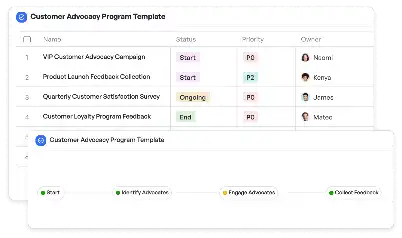
What is Real-Time Stream Color Space Converter?
A Real-Time Stream Color Space Converter is a specialized tool designed to process and convert video streams from one color space to another in real-time. This is particularly crucial in industries like broadcasting, gaming, and video conferencing, where accurate color representation is essential. For instance, converting HDR (High Dynamic Range) content to SDR (Standard Dynamic Range) ensures compatibility across devices without compromising visual quality. The tool leverages advanced algorithms to maintain color fidelity, reduce latency, and optimize performance, making it indispensable in modern multimedia workflows.
Try this template now
Who is this Real-Time Stream Color Space Converter Template for?
This template is ideal for professionals and teams working in video production, live streaming, and broadcasting. Typical users include video editors, streaming platform engineers, and broadcast technicians who need to ensure seamless color transitions across different devices and platforms. For example, a live sports broadcast team can use this tool to adjust color spaces dynamically, ensuring viewers experience consistent quality regardless of their device's capabilities.
Try this template now
Why use this Real-Time Stream Color Space Converter?
The Real-Time Stream Color Space Converter addresses specific challenges such as color mismatches between devices, latency issues in live streams, and the need for real-time processing. For instance, during a live gaming stream, ensuring accurate color representation can significantly enhance viewer experience. This tool eliminates the need for manual adjustments, reduces errors, and ensures compatibility across diverse platforms, making it a critical asset for any multimedia project.
Try this template now
Get Started with the Real-Time Stream Color Space Converter
Follow these simple steps to get started with Meegle templates:
1. Click 'Get this Free Template Now' to sign up for Meegle.
2. After signing up, you will be redirected to the Real-Time Stream Color Space Converter. Click 'Use this Template' to create a version of this template in your workspace.
3. Customize the workflow and fields of the template to suit your specific needs.
4. Start using the template and experience the full potential of Meegle!
Try this template now
Free forever for teams up to 20!
The world’s #1 visualized project management tool
Powered by the next gen visual workflow engine

Live Streaming Operations Management
Real-Time Stream Copyright Detection Bot Config
Start instantly with our Real-Time Stream Copyright Detection Bot Config —ready to use out of the box and always free. Ideal for boosting team productivity!
2025/12/2
2025/12/2
Live Streaming Operations Management
Real-Time Stream Frame Drop Analyzer
Start instantly with our Real-Time Stream Frame Drop Analyzer —ready to use out of the box and always free. Ideal for boosting team productivity!
2025/12/2
2025/12/2
Live Streaming Operations Management
Real-Time Stream Frame Rate Stabilizer
Start instantly with our Real-Time Stream Frame Rate Stabilizer —ready to use out of the box and always free. Ideal for boosting team productivity!
2025/12/2
2025/12/2
Live Streaming Operations Management
Real-Time Stream HDR Compatibility Check
Start instantly with our Real-Time Stream HDR Compatibility Check —ready to use out of the box and always free. Ideal for boosting team productivity!
2025/12/2
2025/12/2
Live Streaming Operations Management
Real-Time Stream Latency Compensation Guide
Start instantly with our Real-Time Stream Latency Compensation Guide —ready to use out of the box and always free. Ideal for boosting team productivity!
2025/12/2
2025/12/2
Live Streaming Operations Management
Real-Time Stream Metadata Optimization
Start instantly with our Real-Time Stream Metadata Optimization —ready to use out of the box and always free. Ideal for boosting team productivity!
2025/12/2
2025/12/2
Live Streaming Operations Management
Real-Time Stream Metadata Tagging System
Start instantly with our Real-Time Stream Metadata Tagging System —ready to use out of the box and always free. Ideal for boosting team productivity!
2025/12/2
2025/12/2
Live Streaming Operations Management
Real-Time Stream Network Jitter Compensator
Start instantly with our Real-Time Stream Network Jitter Compensator —ready to use out of the box and always free. Ideal for boosting team productivity!
2025/12/2
2025/12/2


