
Sign In

Episode Transcoding Format Compatibility Chart
Achieve project success with the Episode Transcoding Format Compatibility Chart today!
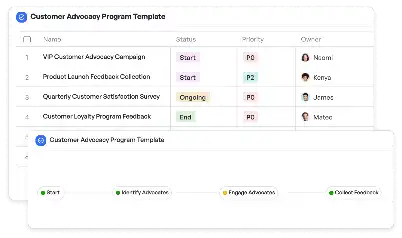
What is Episode Transcoding Format Compatibility Chart?
The Episode Transcoding Format Compatibility Chart is a specialized tool designed to streamline the process of converting video episodes into various formats while ensuring compatibility across devices and platforms. This chart is particularly crucial in the media and entertainment industry, where diverse formats like MP4, MKV, AVI, and others are used. By providing a clear mapping of input and output format compatibility, this chart eliminates guesswork and reduces errors in transcoding workflows. For instance, a production team working on a web series can use this chart to ensure that their episodes are compatible with streaming platforms, mobile devices, and high-definition televisions, thereby enhancing viewer experience.
Try this template now
Who is this Episode Transcoding Format Compatibility Chart Template for?
This template is ideal for professionals in the media production and broadcasting industries, including video editors, content creators, and technical directors. It is also highly beneficial for IT teams managing video libraries and ensuring format compatibility for corporate training videos or marketing campaigns. Typical roles that would find this chart invaluable include post-production managers, quality assurance specialists, and digital asset managers. For example, a post-production manager can use this chart to plan the transcoding process for a new TV series, ensuring that each episode meets the technical requirements of various distribution channels.
Try this template now
Why use this Episode Transcoding Format Compatibility Chart?
The primary advantage of using the Episode Transcoding Format Compatibility Chart lies in its ability to address specific pain points in video production workflows. For instance, one common issue is the lack of clarity around which formats are compatible with specific devices or platforms. This chart provides a detailed guide, reducing the risk of playback errors. Another challenge is the time-consuming nature of manual compatibility checks; the chart automates this process, allowing teams to focus on creative tasks. Additionally, it helps in identifying the best transcoding settings for preserving video quality while minimizing file size, which is crucial for efficient storage and streaming. By addressing these challenges, the chart becomes an indispensable tool for any team involved in video production and distribution.
Try this template now
Get Started with the Episode Transcoding Format Compatibility Chart
Follow these simple steps to get started with Meegle templates:
1. Click 'Get this Free Template Now' to sign up for Meegle.
2. After signing up, you will be redirected to the Episode Transcoding Format Compatibility Chart. Click 'Use this Template' to create a version of this template in your workspace.
3. Customize the workflow and fields of the template to suit your specific needs.
4. Start using the template and experience the full potential of Meegle!
Try this template now
Free forever for teams up to 20!
The world’s #1 visualized project management tool
Powered by the next gen visual workflow engine

Short Drama Production And Distribution Management
Episodic Pacing Rhythm Calculator
Start instantly with our Episodic Pacing Rhythm Calculator —ready to use out of the box and always free. Ideal for boosting team productivity!
2025/12/23
2025/12/23
Short Drama Production And Distribution Management
Equipment Rental Cost Comparison Tracker
Start instantly with our Equipment Rental Cost Comparison Tracker —ready to use out of the box and always free. Ideal for boosting team productivity!
2025/12/23
2025/12/23
Short Drama Production And Distribution Management
Lighting Setup Time Optimization Guide
Start instantly with our Lighting Setup Time Optimization Guide —ready to use out of the box and always free. Ideal for boosting team productivity!
2025/12/23
2025/12/23
Short Drama Production And Distribution Management
Live Shooting Feed Remote Approval System
Start instantly with our Live Shooting Feed Remote Approval System —ready to use out of the box and always free. Ideal for boosting team productivity!
2025/12/23
2025/12/23
Short Drama Production And Distribution Management
Location Power Supply Backup Planner
Start instantly with our Location Power Supply Backup Planner —ready to use out of the box and always free. Ideal for boosting team productivity!
2025/12/23
2025/12/23
Short Drama Production And Distribution Management
Location Weather Contingency Planner
Start instantly with our Location Weather Contingency Planner —ready to use out of the box and always free. Ideal for boosting team productivity!
2025/12/23
2025/12/23
Short Drama Production And Distribution Management
Micro-Budget Allocation Priority Matrix
Start instantly with our Micro-Budget Allocation Priority Matrix —ready to use out of the box and always free. Ideal for boosting team productivity!
2025/12/23
2025/12/23
Short Drama Production And Distribution Management
Mini-Episode SEO Title Generator
Start instantly with our Mini-Episode SEO Title Generator —ready to use out of the box and always free. Ideal for boosting team productivity!
2025/12/23
2025/12/23


