
Sign In

Platform-Specific Thumbnail A/B Testing Log
Achieve project success with the Platform-Specific Thumbnail A/B Testing Log today!
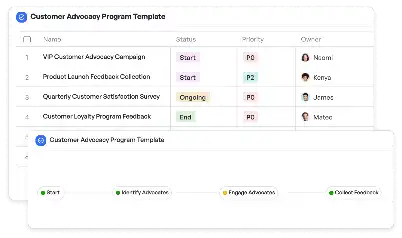
What is Platform-Specific Thumbnail A/B Testing Log?
Platform-Specific Thumbnail A/B Testing Log is a specialized template designed to streamline the process of testing thumbnail designs across various platforms. This template is particularly important in digital marketing and user experience optimization, where visual elements like thumbnails play a critical role in capturing user attention and driving engagement. By leveraging this log, teams can systematically record, analyze, and compare the performance of different thumbnail designs, ensuring that the most effective visuals are used to achieve specific goals. For instance, in e-commerce, a well-optimized thumbnail can significantly increase click-through rates and conversions, making this template indispensable for marketing teams and designers.
Try this template now
Who is this Platform-Specific Thumbnail A/B Testing Log Template for?
This template is ideal for digital marketers, UX/UI designers, and product managers who are focused on optimizing user engagement and conversion rates. It is particularly useful for teams working in industries such as e-commerce, media, and mobile applications, where visual content plays a pivotal role in attracting and retaining users. Typical roles that benefit from this template include marketing analysts conducting A/B tests, graphic designers creating platform-specific thumbnails, and data scientists analyzing user behavior to refine visual strategies.
Try this template now
Why use this Platform-Specific Thumbnail A/B Testing Log?
The Platform-Specific Thumbnail A/B Testing Log addresses several pain points in the thumbnail optimization process. Firstly, it provides a structured approach to testing, eliminating the guesswork and ensuring that all variables are accounted for. Secondly, it enables teams to track performance metrics such as click-through rates, engagement levels, and conversion rates, offering actionable insights for improvement. Lastly, the template is tailored to accommodate the unique requirements of different platforms, ensuring that thumbnails are optimized for specific audiences and devices. By using this template, teams can make data-driven decisions that enhance user experience and maximize the impact of their visual content.
Try this template now
Get Started with the Platform-Specific Thumbnail A/B Testing Log
Follow these simple steps to get started with Meegle templates:
1. Click 'Get this Free Template Now' to sign up for Meegle.
2. After signing up, you will be redirected to the Platform-Specific Thumbnail A/B Testing Log. Click 'Use this Template' to create a version of this template in your workspace.
3. Customize the workflow and fields of the template to suit your specific needs.
4. Start using the template and experience the full potential of Meegle!
Try this template now
Free forever for teams up to 20!
The world’s #1 visualized project management tool
Powered by the next gen visual workflow engine

Short Drama Production And Distribution Management
Platform-Specific Thumbnail Psychology Guide
Start instantly with our Platform-Specific Thumbnail Psychology Guide —ready to use out of the box and always free. Ideal for boosting team productivity!
2025/12/23
2025/12/23
Short Drama Production And Distribution Management
Script Beat Sheet Emotional Arc Mapper
Start instantly with our Script Beat Sheet Emotional Arc Mapper —ready to use out of the box and always free. Ideal for boosting team productivity!
2025/12/23
2025/12/23
Short Drama Production And Distribution Management
Script Beat Timing Emotional Rhythm Chart
Start instantly with our Script Beat Timing Emotional Rhythm Chart —ready to use out of the box and always free. Ideal for boosting team productivity!
2025/12/23
2025/12/23
Short Drama Production And Distribution Management
Script Copyright Registration Tracker
Start instantly with our Script Copyright Registration Tracker —ready to use out of the box and always free. Ideal for boosting team productivity!
2025/12/23
2025/12/23
Short Drama Production And Distribution Management
Script Coverage Analysis Template
Start instantly with our Script Coverage Analysis Template —ready to use out of the box and always free. Ideal for boosting team productivity!
2025/12/23
2025/12/23
Short Drama Production And Distribution Management
Script Cultural Adaptation Framework
Start instantly with our Script Cultural Adaptation Framework —ready to use out of the box and always free. Ideal for boosting team productivity!
2025/12/23
2025/12/23
Short Drama Production And Distribution Management
Script Cultural Adaptation Sensitivity Check
Start instantly with our Script Cultural Adaptation Sensitivity Check —ready to use out of the box and always free. Ideal for boosting team productivity!
2025/12/23
2025/12/23
Short Drama Production And Distribution Management
Script Cultural Consultant Review Process
Start instantly with our Script Cultural Consultant Review Process —ready to use out of the box and always free. Ideal for boosting team productivity!
2025/12/23
2025/12/23


