
Sign In

Script Beat Timing Emotional Rhythm Chart
Achieve project success with the Script Beat Timing Emotional Rhythm Chart today!
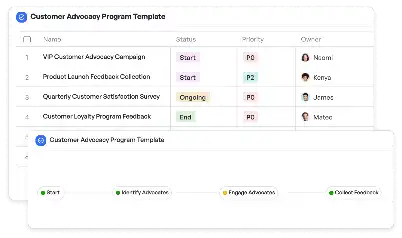
What is Script Beat Timing Emotional Rhythm Chart?
The Script Beat Timing Emotional Rhythm Chart is a specialized tool designed to help screenwriters, directors, and producers map out the emotional and rhythmic flow of a script. This chart provides a visual representation of how beats in a script align with timing and emotional intensity, ensuring that the narrative maintains a compelling pace and emotional resonance. In the film and television industry, where storytelling is paramount, this chart becomes an indispensable asset. For instance, in a thriller, maintaining suspense requires precise timing and emotional rhythm, which this chart helps to achieve. By breaking down the script into beats and analyzing their timing and emotional impact, creators can ensure that their story captivates the audience from start to finish.
Try this template now
Who is this Script Beat Timing Emotional Rhythm Chart Template for?
This template is ideal for professionals in the film and television industry, including screenwriters, directors, producers, and editors. Screenwriters can use it to structure their scripts effectively, ensuring that each beat contributes to the overall narrative. Directors can leverage the chart to plan scenes and transitions, maintaining the desired emotional rhythm. Producers can use it to evaluate scripts and ensure they align with the intended audience's expectations. Editors can also benefit by using the chart to refine the pacing during post-production. Whether you're working on a blockbuster action movie, an indie drama, or a television series, this template is tailored to meet the needs of creative professionals aiming to deliver emotionally engaging and well-paced stories.
Try this template now
Why use this Script Beat Timing Emotional Rhythm Chart?
The Script Beat Timing Emotional Rhythm Chart addresses specific challenges in storytelling, such as maintaining audience engagement, ensuring emotional consistency, and achieving the right pacing. For example, in a romantic comedy, the timing of comedic beats and emotional moments is crucial to keep the audience invested. This chart helps creators identify and adjust these elements, ensuring that the story flows seamlessly. Additionally, it provides a clear framework for collaboration among team members, allowing everyone to align on the narrative's emotional and rhythmic goals. By using this template, creators can avoid common pitfalls like uneven pacing, abrupt transitions, or emotional dissonance, ultimately delivering a polished and impactful story.
Try this template now
Get Started with the Script Beat Timing Emotional Rhythm Chart
Follow these simple steps to get started with Meegle templates:
1. Click 'Get this Free Template Now' to sign up for Meegle.
2. After signing up, you will be redirected to the Script Beat Timing Emotional Rhythm Chart. Click 'Use this Template' to create a version of this template in your workspace.
3. Customize the workflow and fields of the template to suit your specific needs.
4. Start using the template and experience the full potential of Meegle!
Try this template now
Free forever for teams up to 20!
The world’s #1 visualized project management tool
Powered by the next gen visual workflow engine

Short Drama Production And Distribution Management
Script Copyright Registration Tracker
Start instantly with our Script Copyright Registration Tracker —ready to use out of the box and always free. Ideal for boosting team productivity!
2025/12/23
2025/12/23
Short Drama Production And Distribution Management
Script Coverage Analysis Template
Start instantly with our Script Coverage Analysis Template —ready to use out of the box and always free. Ideal for boosting team productivity!
2025/12/23
2025/12/23
Short Drama Production And Distribution Management
Script Cultural Adaptation Framework
Start instantly with our Script Cultural Adaptation Framework —ready to use out of the box and always free. Ideal for boosting team productivity!
2025/12/23
2025/12/23
Short Drama Production And Distribution Management
Script Cultural Adaptation Sensitivity Check
Start instantly with our Script Cultural Adaptation Sensitivity Check —ready to use out of the box and always free. Ideal for boosting team productivity!
2025/12/23
2025/12/23
Short Drama Production And Distribution Management
Script Cultural Consultant Review Process
Start instantly with our Script Cultural Consultant Review Process —ready to use out of the box and always free. Ideal for boosting team productivity!
2025/12/23
2025/12/23
Short Drama Production And Distribution Management
Script Cultural Nuance Localization Guide
Start instantly with our Script Cultural Nuance Localization Guide —ready to use out of the box and always free. Ideal for boosting team productivity!
2025/12/23
2025/12/23
Short Drama Production And Distribution Management
Script Cultural Reference Clearance Tracker
Start instantly with our Script Cultural Reference Clearance Tracker —ready to use out of the box and always free. Ideal for boosting team productivity!
2025/12/23
2025/12/23
Short Drama Production And Distribution Management
Script Cultural Sensitivity Review Template
Start instantly with our Script Cultural Sensitivity Review Template —ready to use out of the box and always free. Ideal for boosting team productivity!
2025/12/23
2025/12/23


