
Sign In

Social Media Clip Repurposing Scheduler
Achieve project success with the Social Media Clip Repurposing Scheduler today!
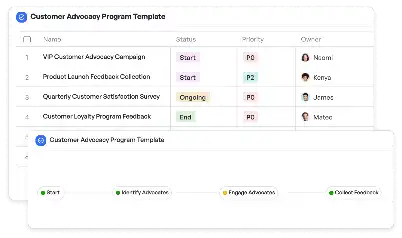
What is Social Media Clip Repurposing Scheduler?
The Social Media Clip Repurposing Scheduler is a specialized tool designed to streamline the process of reusing and adapting video content across various social media platforms. In today's digital age, where video content dominates online engagement, businesses and creators face the challenge of tailoring their clips to fit the unique requirements of platforms like Instagram, Facebook, LinkedIn, and YouTube. This scheduler simplifies the process by providing a structured workflow that ensures each clip is optimized for its intended platform. For instance, a 60-second Instagram Reel might need different formatting and captions compared to a LinkedIn video snippet. By using this scheduler, teams can efficiently manage these variations, ensuring consistent branding and messaging while saving time and resources.
Try this template now
Who is this Social Media Clip Repurposing Scheduler Template for?
This template is ideal for social media managers, content creators, marketing teams, and small business owners who regularly produce video content. Social media managers can use it to plan and execute campaigns that require video adaptations for multiple platforms. Content creators, such as YouTubers or influencers, can benefit from its structured approach to repurposing their long-form videos into shorter, platform-specific clips. Marketing teams in larger organizations can use the scheduler to coordinate efforts across departments, ensuring that branding and messaging remain consistent. Small business owners, who often juggle multiple roles, can leverage this tool to maximize the impact of their video content without needing extensive technical expertise.
Try this template now
Why use this Social Media Clip Repurposing Scheduler?
One of the primary challenges in social media marketing is ensuring that video content resonates with the audience of each platform. For example, a video that performs well on YouTube might not be suitable for Instagram due to differences in audience behavior and platform algorithms. The Social Media Clip Repurposing Scheduler addresses this by providing a clear framework for adapting content. It helps users identify the optimal length, format, and style for each platform, ensuring maximum engagement. Additionally, it reduces the risk of overlooking platform-specific requirements, such as aspect ratios or caption lengths. By using this scheduler, teams can focus on creating impactful content rather than getting bogged down by technical details.
Try this template now
Get Started with the Social Media Clip Repurposing Scheduler
Follow these simple steps to get started with Meegle templates:
1. Click 'Get this Free Template Now' to sign up for Meegle.
2. After signing up, you will be redirected to the Social Media Clip Repurposing Scheduler. Click 'Use this Template' to create a version of this template in your workspace.
3. Customize the workflow and fields of the template to suit your specific needs.
4. Start using the template and experience the full potential of Meegle!
Try this template now
Free forever for teams up to 20!
The world’s #1 visualized project management tool
Powered by the next gen visual workflow engine

Short Drama Production And Distribution Management
Social Media Clip Verticalization Tool
Start instantly with our Social Media Clip Verticalization Tool —ready to use out of the box and always free. Ideal for boosting team productivity!
2025/12/23
2025/12/23
Short Drama Production And Distribution Management
Social Media Comment Sentiment Analyzer
Start instantly with our Social Media Comment Sentiment Analyzer —ready to use out of the box and always free. Ideal for boosting team productivity!
2025/12/23
2025/12/23
Short Drama Production And Distribution Management
Social Media Cross-Pollination Planner
Start instantly with our Social Media Cross-Pollination Planner —ready to use out of the box and always free. Ideal for boosting team productivity!
2025/12/23
2025/12/23
Short Drama Production And Distribution Management
Social Media Hashtag Performance Monitor
Start instantly with our Social Media Hashtag Performance Monitor —ready to use out of the box and always free. Ideal for boosting team productivity!
2025/12/23
2025/12/23
Short Drama Production And Distribution Management
Social Media Hashtag Trend Incorporator
Start instantly with our Social Media Hashtag Trend Incorporator —ready to use out of the box and always free. Ideal for boosting team productivity!
2025/12/23
2025/12/23
Short Drama Production And Distribution Management
Social Media Meme Template Generator
Start instantly with our Social Media Meme Template Generator —ready to use out of the box and always free. Ideal for boosting team productivity!
2025/12/23
2025/12/23
Short Drama Production And Distribution Management
Social Media Platform-Specific Aspect Ratio Guide
Start instantly with our Social Media Platform-Specific Aspect Ratio Guide —ready to use out of the box and always free. Ideal for boosting team productivity!
2025/12/23
2025/12/23
Short Drama Production And Distribution Management
Social Media Platform-Specific Caption Style
Start instantly with our Social Media Platform-Specific Caption Style —ready to use out of the box and always free. Ideal for boosting team productivity!
2025/12/23
2025/12/23


