
 EN
ENClickUp vs. Jira: Which Project Management Tool is Right for You?
 Alex, Agile Methodologies and Jira Expert



"A craftsman is only as good as his tools." – Emmert Wolf
Although not a lot is known about Mr. Wolf, he is right.
You might be an excellent project manager, but without a good project management tool, all your skills and efforts could fall short of delivering the desired results.
In this article, we take a look at three tools with distinct approaches: ClickUp's all-in-one platform, Jira's development-focused system, and Meegle's visual workflow solution.
We'll examine how each platform handles your project management needs —from task management and team collaboration to resource planning and workflow automation.
By comparing key features, integration capabilities, and real-world applications, we'll help you understand which tool best fits your team's needs, whether you're building software, managing marketing campaigns, or coordinating complex multi-team projects.
Let's break down what makes each platform unique and how they compare in daily use.
ClickUp vs. Jira: A quick glance
| Feature | ClickUp | Jira |
|---|---|---|
| Primary focus | All-in-one workspace solution | Software development and issue tracking |
| Core strengths | Task management flexibility, multiple views | Development workflows, agile methodologies |
| View options | 15+ built-in views | Basic views with additional options via plugins |
| Task management | Multi-level hierarchies, unlimited subtasks | Issue tracking, development-centric organization |
| Document features | Built-in document creation and wiki | Basic with integration options |
| Customization | User-friendly customization options | Wide range of customization, which can sometimes be complex |
| Integration | All-in-one approach with key integrations | Versatile marketplace with plugins |
| Pricing model | Free tier available for 1 form and 100 MB storage; Paid plans start at $7 per user per month, billed annually | Free for up to 10 users; Paid plans from $7.53 per user per month for a team of 300 users, billed monthly |
| Learning curve | Moderate, user-friendly interface | Steep, requires technical knowledge |
| Best for | Teams needing versatile project management | Development teams, enterprise organizations |
ClickUp vs. Jira: a complete comparison
ClickUp positions itself as "the everything app, for work" with a focus on flexibility and comprehensive feature inclusion.
Jira, while originally focused on software development, has evolved into a versatile project management tool suitable for various teams and workflows.
Key features of ClickUp
ClickUp - project management tool (Source: ClickUp)
Here are the core features of ClickUp:
Task management and organization
Sort through your tasks with quick filters (Source: ClickUp)
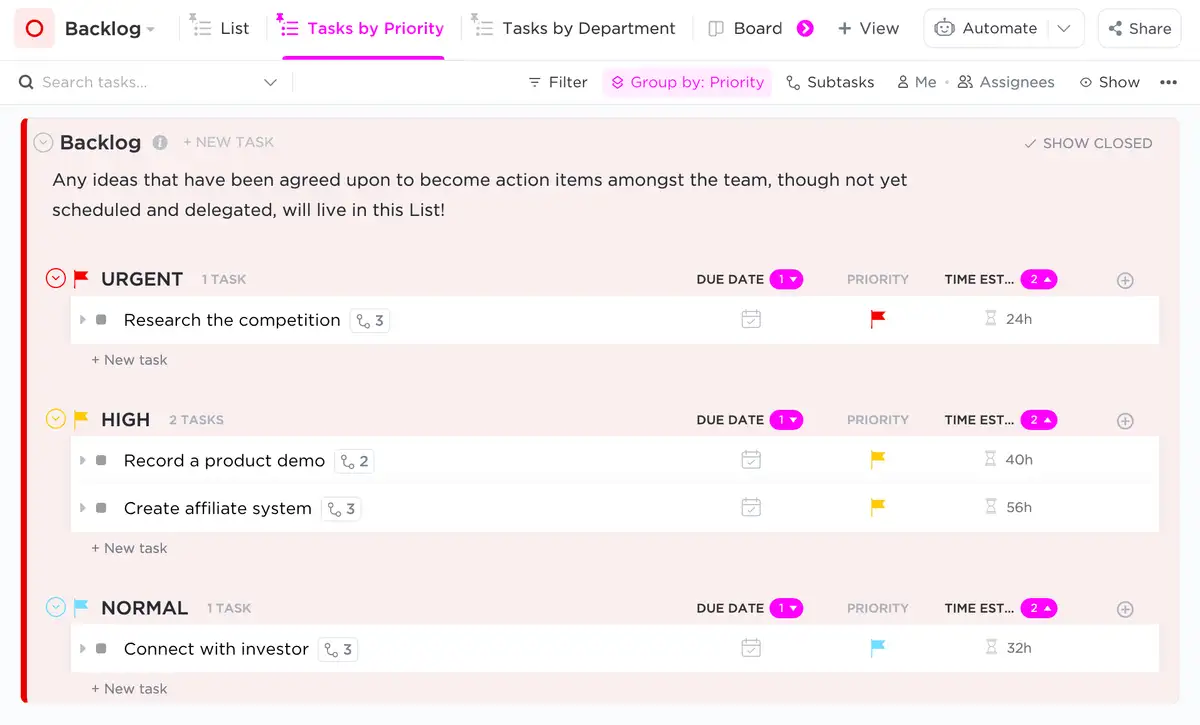
You get multi-level hierarchies and unlimited subtasks with ClickUp's task management system. Easy filtering and prioritization through custom fields and tags help categorize and add specific attributes to tasks.
Based on native time tracking and estimation, you can access productivity and plan accordingly. Moreover, you can have multiple assignees for the same task for better accountability and teamwork.
Visualization and planning
Visualize your tasks in a way that works best for you (Source: ClickUp)
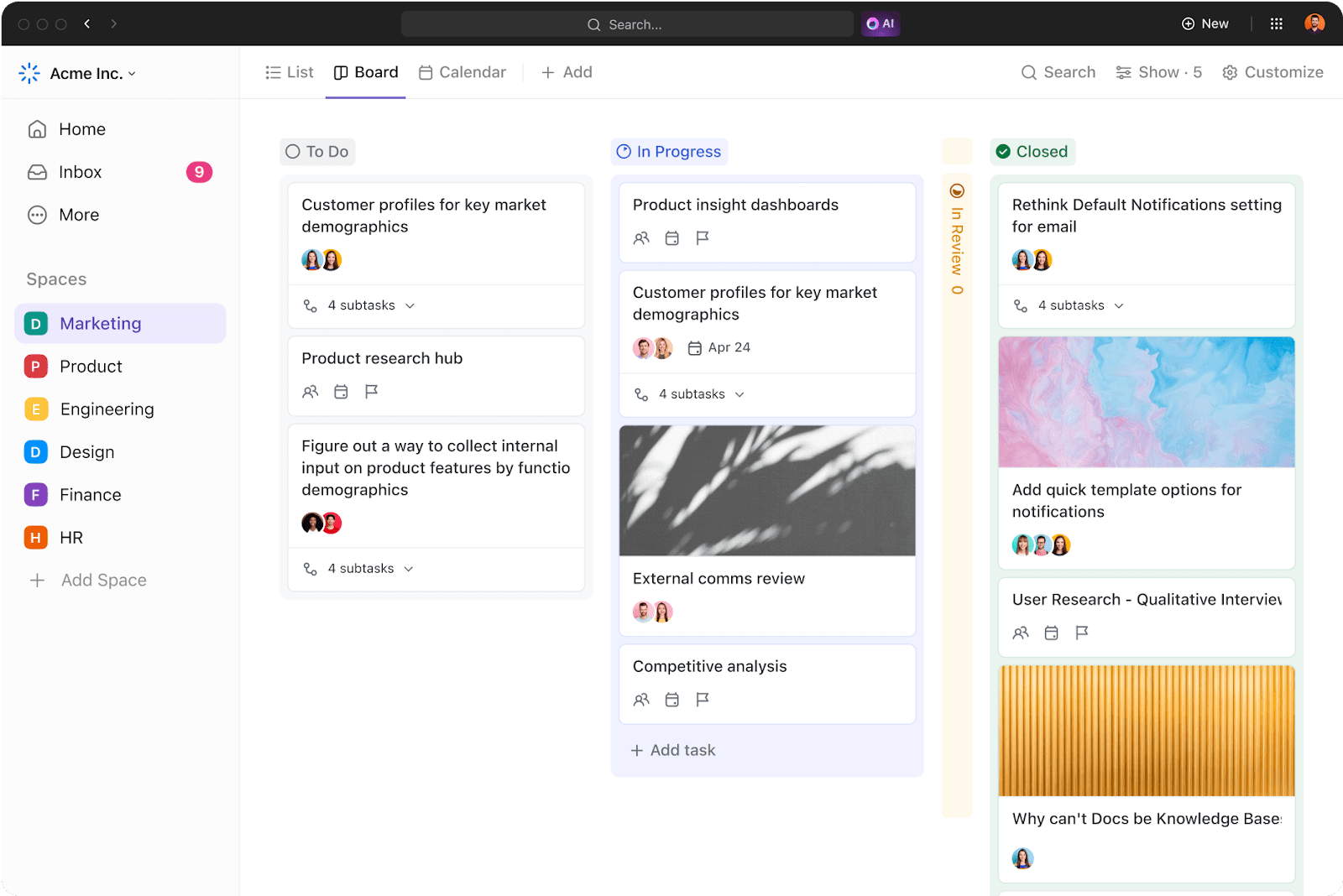
The platform provides 15 different view options. This lets teams look at their work in whatever way makes the most sense for the task at hand—whether that's a simple list for daily tasks, a board for workflow management, a calendar for scheduling, or a Gantt chart for project timelines.
These views are all included from the start, meaning teams can switch between different ways of organizing and visualizing their work without needing to install or pay for additional features.
Documentation and collaboration
Get cross-functional teams to streamline work together on projects (Source: ClickUp)
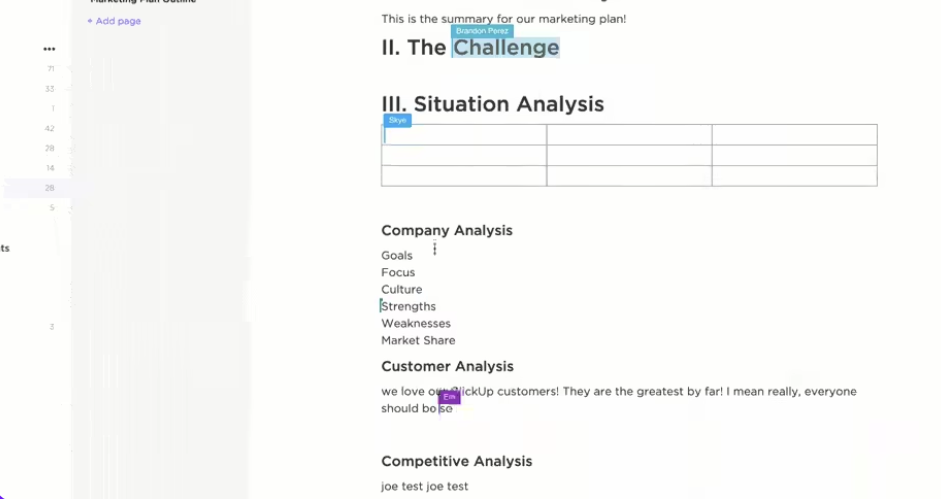
ClickUp integrates document creation and editing directly into the platform. This means teams can build wiki-style knowledge bases and collaborate in real time, much like Notion.
ClickUp's pricing
Here are ClickUp's yearly plans:
Free plan
- Up to 10 users
- 100MB storage
- Unlimited tasks
- Basic task management features
- Real-time collaboration
Unlimited ($7 per user per month)
- All free features
- Unlimited storage
- Unlimited integrations
- Custom fields
- Advanced reporting
- Resource management
Business ($12 per user per month)
- All Unlimited features
- Advanced automations
- Advanced time tracking
- Custom exporting
- Advanced public sharing
- Workload management
Enterprise (Custom pricing)
- All business features
- Enterprise API
- Custom onboarding
- Dedicated success manager
- Advanced permissions
- Enterprise-grade security
Key features of Jira
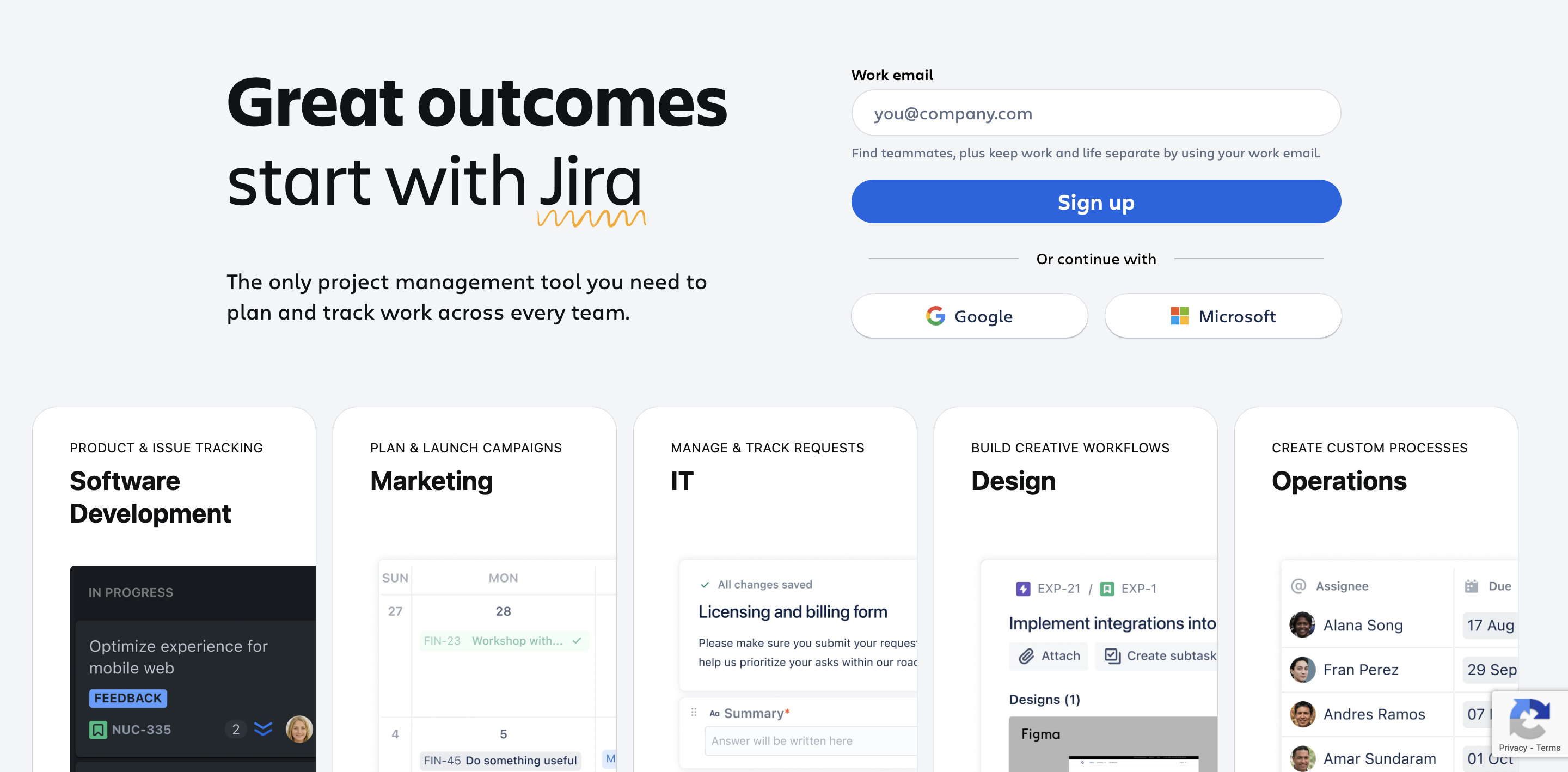
Jira - project management tool (Source: Jira)
As we discuss the main features of Jira, you’ll notice it caters more to development teams.
It has an 84.57% market share in bug and issue tracking.
Development-focused tools
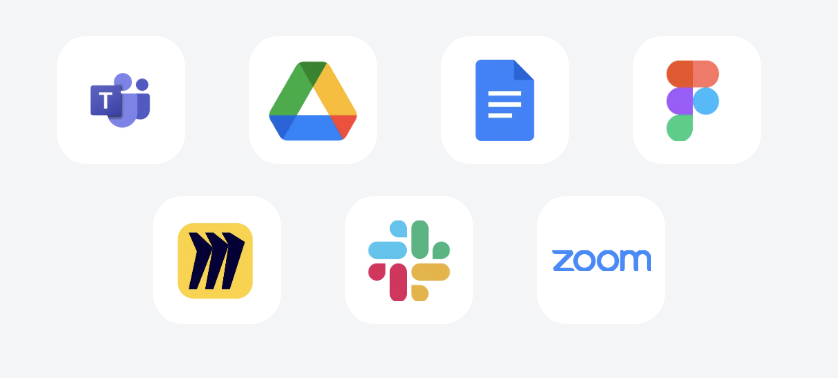
Available API integration for collaborative office platform tools (Source: Jira)
Jira's bug-tracking software integrates natively with Git and offers efficient version control and code management.
A staggering 1000+ plugins, such as Bitbucket for repository management, Jenkins for CI/CD pipelines, and Slack for team communication, make Jira a good option for customizing your toolchain.
Workflow management
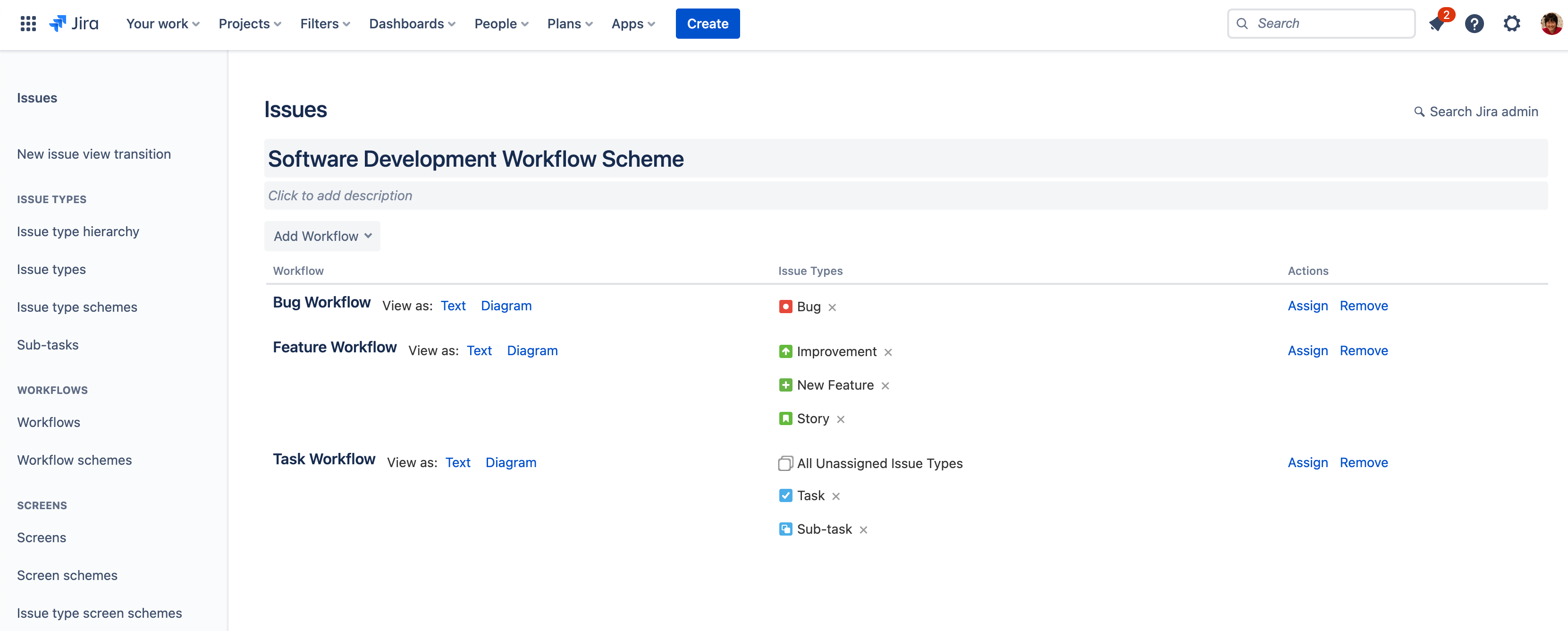
Formulate project roadmaps along with workflow management (Source: Jira)
Jira has a sophisticated workflow engine for your distinct operational requirements, including managing complex state transitions and approval processes.
You can reduce cognitive load on teams through automated rules and triggers, while maintaining granular access. Its permission settings and adherence to compliance standards work best for industries like software development and healthcare.
Agile methodologies
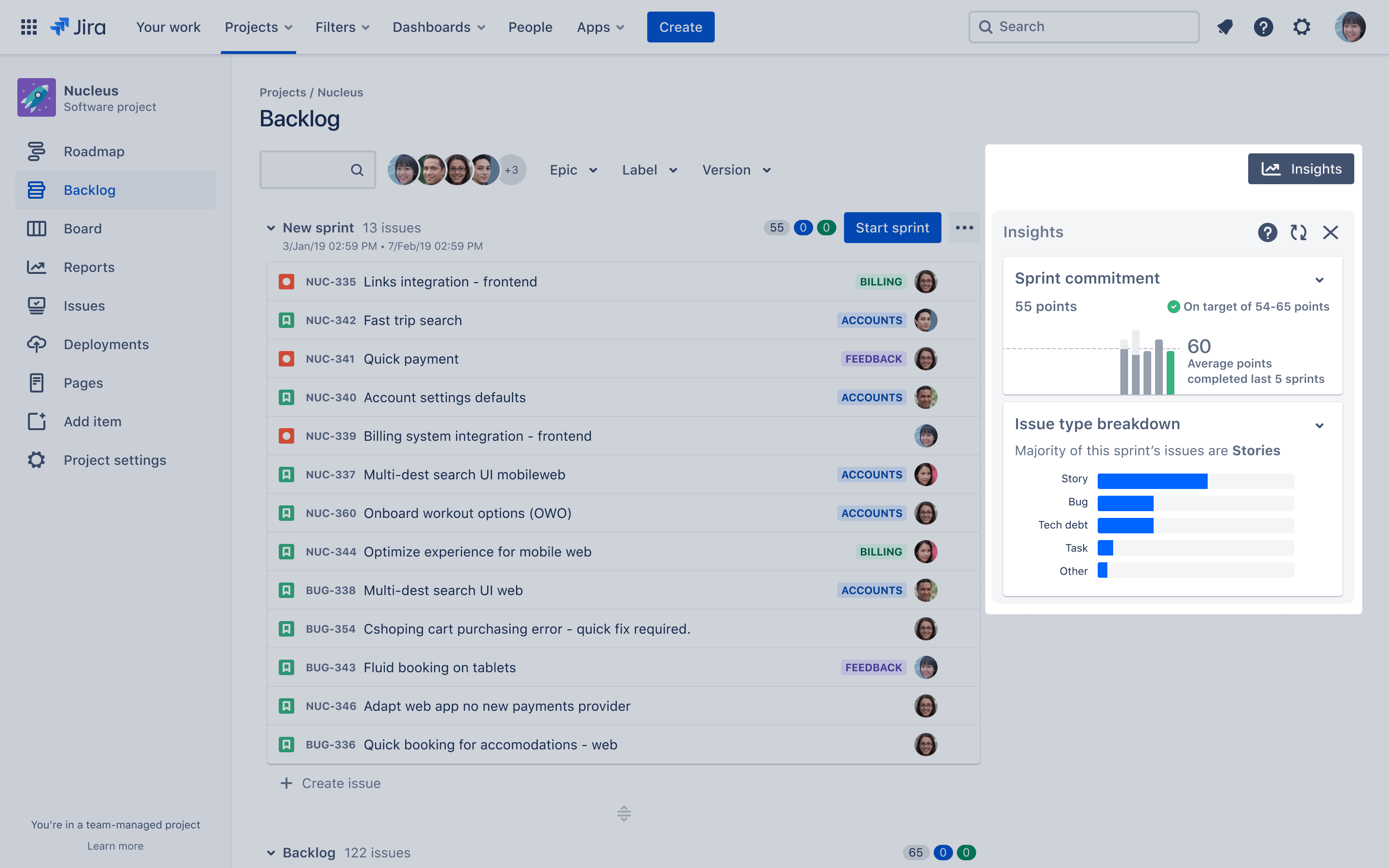
Backlog tracking on Jira's Agile framework (Source: Jira)
Jira supports Agile frameworks with built-in Scrum and Kanban boards. You can effectively manage sprint planning and backlog prioritization. Features like velocity tracking, burndown charts, and story point estimation add precision to project planning.
Jira's roadmap tools and integration with Confluence simplify long-term visualization and documentation.
Enterprise capabilities

Law and compliance tracking to meet regulatory requirements (Source: Jira)
Enterprise organizations benefit from Jira's advanced security features and flexible deployment options, including data center deployment. The platform supports LDAP and Active Directory integration for enterprise-wide user management.
Robust compliance and audit features help maintain regulatory requirements and track system changes.
Jira's pricing
Jira offers the following pricing plans, billed monthly:
Free
- Up to 10 users
- Basic project templates
- Scrum and Kanban boards
- Basic automation
- 2GB file storage
Standard ($7.53 per user per month) Team size: 300 users
- Up to 35,000 users
- Advanced permissions
- Audit logs
- Project roles
- 250GB file storage
- Advanced roadmaps
Premium ($13.53 per user per month) Team size: 300 users
- Unlimited storage
- Admin insights
- Project archiving
- Advanced automation
- IP allowlisting
- Advanced roadmaps
Enterprise (Custom pricing)
- Enterprise-grade security
- Data residency
- 24/7 Premium support
- Unlimited sites
- Advanced compliance features
Choosing one tool over the other depends on what your team needs.
If you find yourself needing a set of features that both of these tools individually offer, Meegle may be a good choice for you. It offers the best of the two project management tools.
How Meegle fares as an alternative to ClickUp vs. Jira
While ClickUp focuses on simplicity and Jira on technical depth for dev teams, Meegle's features offer both.
| Feature | Meegle | ClickUp | Jira |
|---|---|---|---|
| Best For | All industries and teams, especially software development, game development, Agile development, F&B, and media operations | General project management across various team types | Software development and Agile teams |
| Pricing | (Billed annually) Free: Up to 20 seats Standard: $8 per user per month Premium: $12 per user per month Enterprise: Custom pricing | (Billed annually) Free: includes 1 form Unlimited: $7 per user per month Business: $12 per user per month Enterprise: Custom pricing | (Billed monthly, Team size: 300 users) Free: Up to 10 users Standard: $7.53 per user per month Premium: $13.53 per user per month Enterprise: Custom pricing |
| Ease of Use | Intuitive interface | Feature-rich but may have a learning curve | Comprehensive, primarily for technical users |
| Task Management | Streamlined task tracking with visual workflow automation | Highly customizable tasks and views | Robust issue tracking with Agile methodologies |
| Workflow Automation | User-friendly automation with customizable rules | Advanced automation with customizable rules | Extensive automation suited for software development processes |
| Collaboration Tools | Integrated messaging, feedback, and reputation tracking | Docs, chat, whiteboards, and commenting features | Comments, mentions, and issue tracking capabilities |
| Marketing & Reputation Management | Specialized tools for brand visibility and customer engagement | Lacks built-in marketing features | Not designed for marketing or reputation management |
| Integrations | Slack, Zapier, GitHub, GitLab | Slack, Google Drive, GitHub, Zapier, Jira | Bitbucket, GitHub, Confluence, Slack |
| Reporting & Analytics | Clear reports on customer engagement and marketing performance | Advanced reporting with dashboards and time tracking | Agile reporting, including burndown charts and performance metrics |
| Customization | Designed to meet business growth needs | Customizable with various views and workflows | Customizable workflows and issue types, primarily for software teams |
| Mobile App | Yes, with task management features | Yes | Yes |
Meegle: Balanced feature set
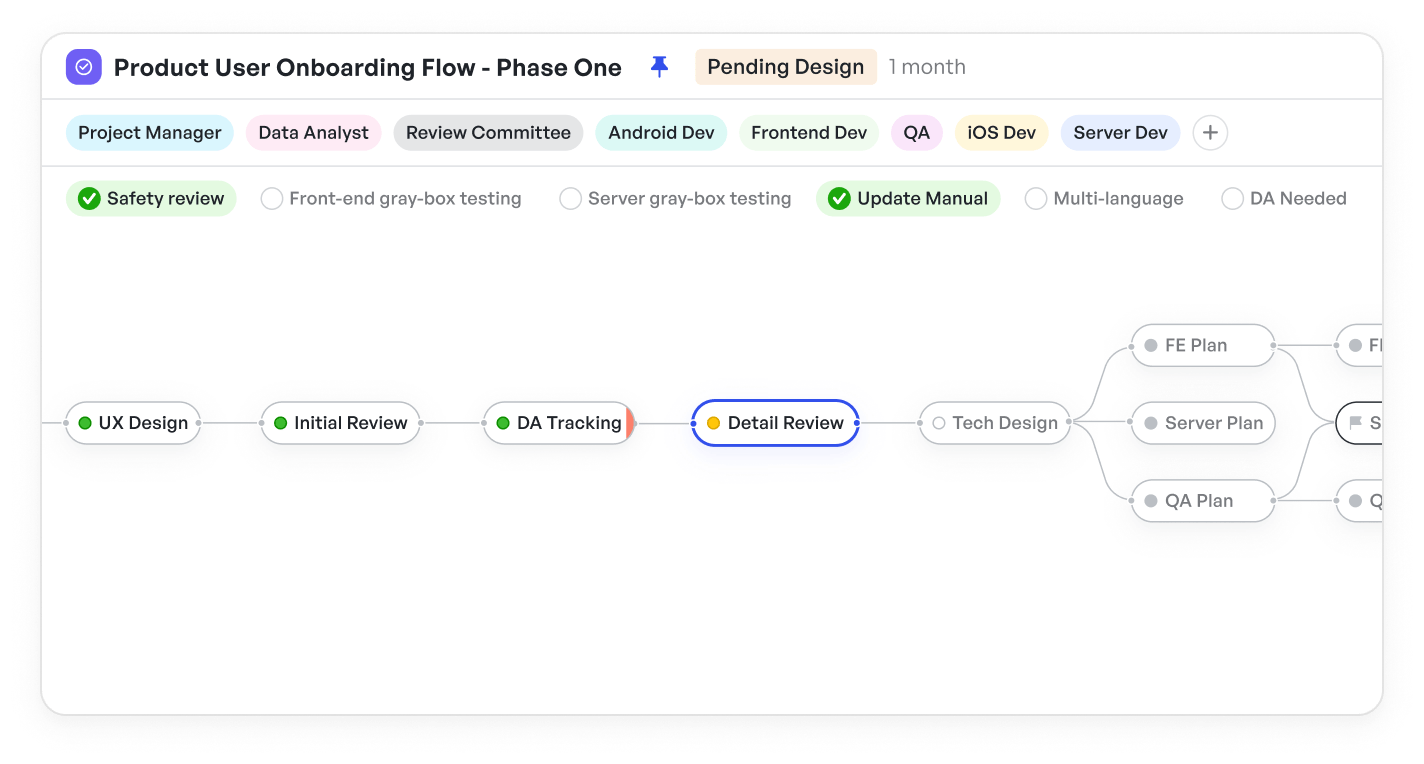
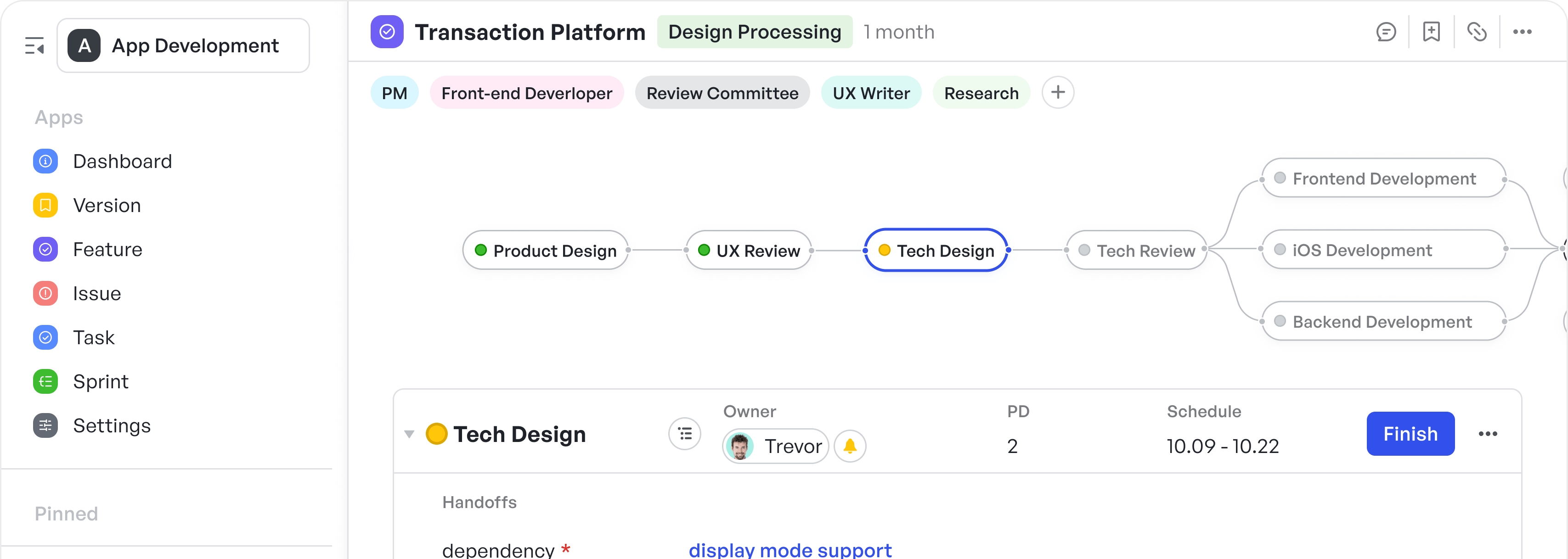
Connected workflow nodes track progress
Meegle simplifies project management by turning complex workflows into clear, visual structures. The node-driven workflow system provides a structured yet flexible way to map out tasks, making it easier to track dependencies and progress.
Unlike ClickUp, which sometimes reduces project views to the point of losing important details, or Jira, where dense interfaces can make navigation difficult, Meegle presents information in a way that is both intuitive and detailed.
Task management follows the same principle. Many platforms either overload users with customization layers or limit them to rigid structures.
Meegle merges adaptability with precision, offering essential tools like custom fields and role authority, with advanced options such as conditional logic and stage-gate processes available when projects demand deeper control.
Every feature adapts to the way teams work, allowing them to build workflows that grow organically with project complexity. The experience feels less like configuring software and more like structuring a strategy that unfolds naturally.
Meegle: Integration capabilities
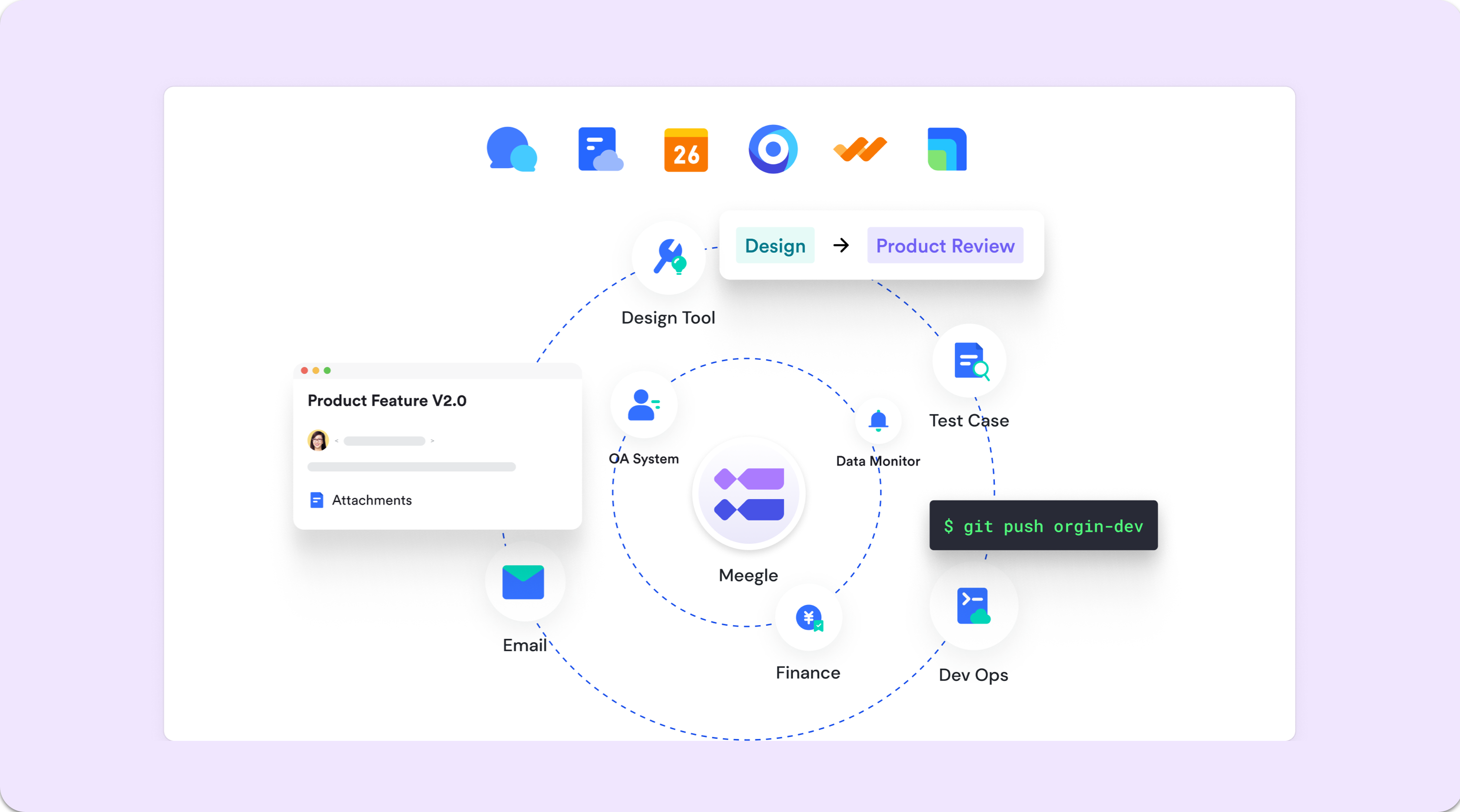
Connect various tools like design tools, test cases, dev ops, finance, and email systems
Meegle has a very different approach to integration wherein you do not need a plugin marketplace.
It offers interfaces: REST API for developers to create custom integrations, and webhook to automate workflows across different tools. This differs significantly from Jira's plugin-dependent ecosystem and ClickUp's all-in-one approach.
The document management system particularly showcases this integration philosophy. Rather than treating document handling as an afterthought or requiring additional plugins, Meegle includes version control, real-time collaboration, and intelligent categorization features.
This integrated approach keeps project documentation organized and accessible without switching between multiple tools.
Meegle: Tree view innovation
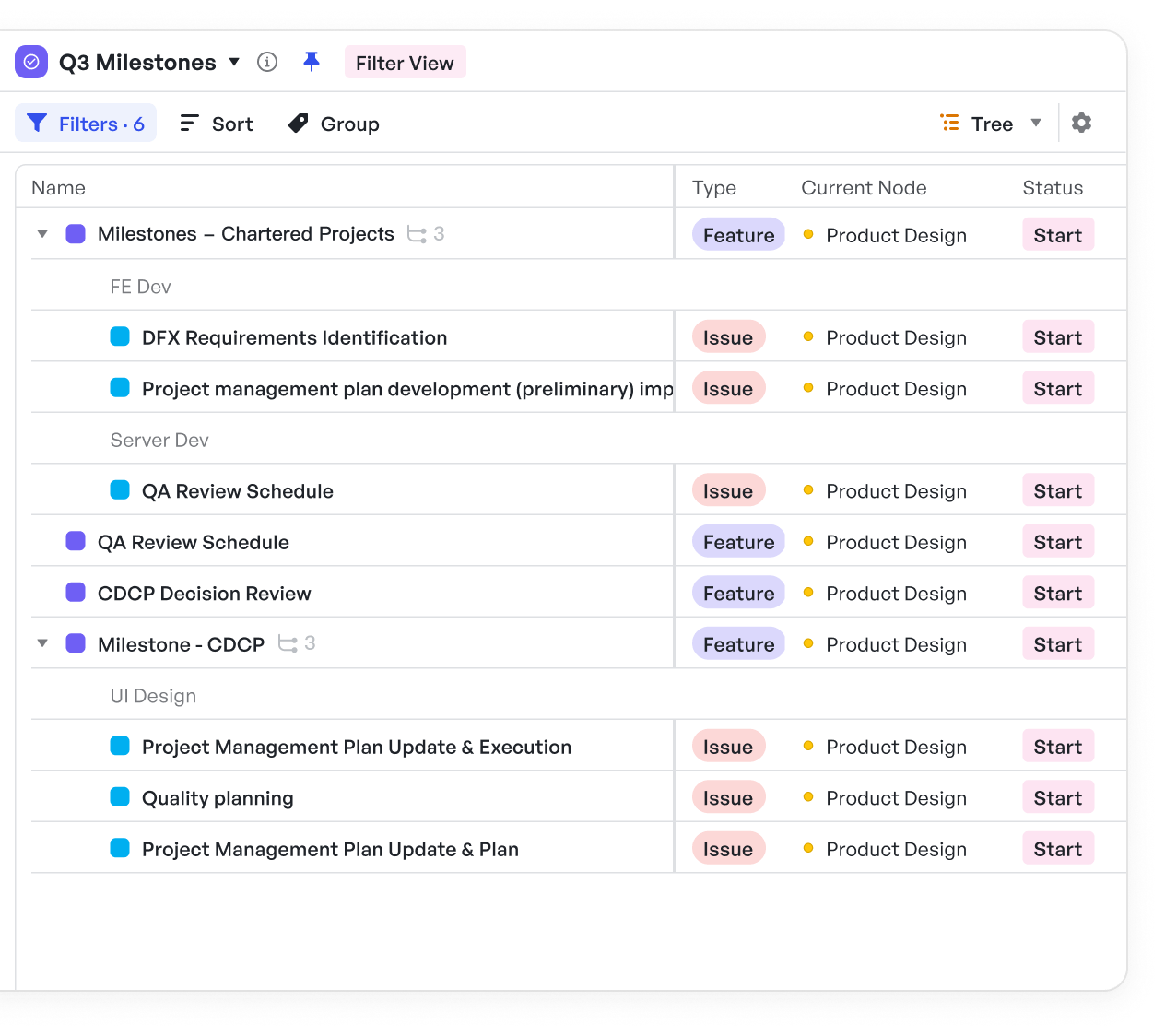
View status, type, and current node for each item
Meegle's tree view capabilities offer a distinct hierarchical project organization system where teams can view and manage complex project structures with unprecedented clarity. Unlike traditional list or board views, Meegle's tree view visually represents how projects, tasks, or elements are related to each other, making it easier to see dependencies and subtasks.
With its advanced filtering and grouping options, you can drill down to specific sections, and group tasks based on deadlines, team members, or status. The system excels at handling cross-space data viewing, allowing managers to monitor multiple projects or departments simultaneously without losing context.
This capability proves particularly valuable for software developers managing multiple concurrent projects or program-level initiatives where understanding interdependencies is crucial.
Read our guide on software project management here .
Meegle: Advanced timeline management
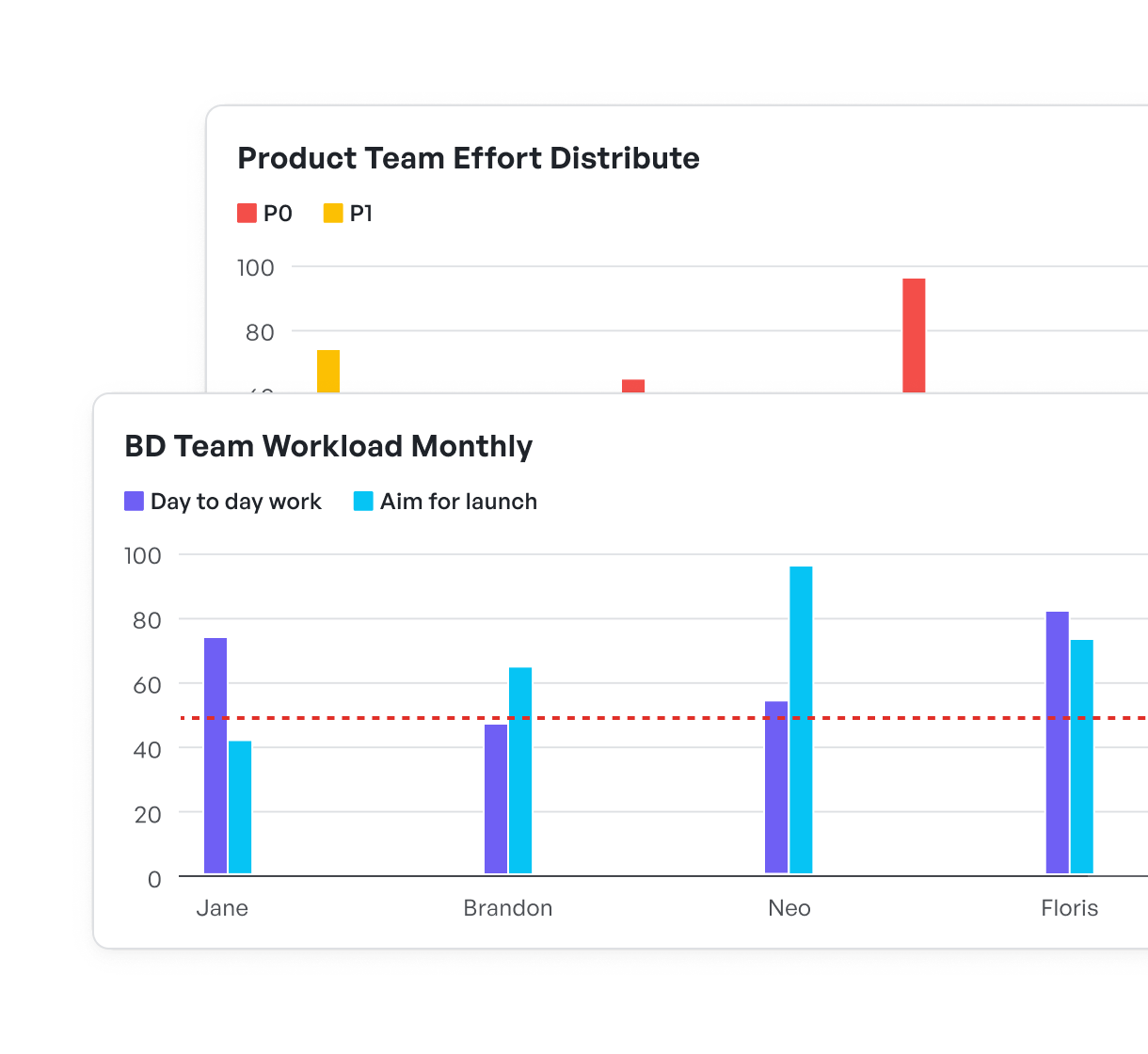
Track priorities and team member workload distribution
Meegle's approach to timeline management transcends traditional Gantt charts by incorporating multiple time dimensions and recognizing work day distinctions.
This system acknowledges that project timelines are not always linear and that different teams may work on different schedules.
With person-day tracking for accurate resource allocation insights and intuitive drag-and-drop scheduling, the platform makes flawless timeline adjustments, making rapid project management easier.
Jira vs. ClickUp vs. Meegle: Balancing usability and advanced features
Let’s take a quick look at how ClickUp, Jira, and Meegle fare with respect to user experience, automation, and collaboration.
User experience
Project management tools must strike a delicate balance between accessibility and power. Each platform approaches this challenge differently, with varying degrees of success.
- ClickUp offers usability through its clean interface and customizable dashboards, making it useful for teams new to project management software. The platform's role-based views ensure that team members see only what's relevant to their work, reducing complexity while maintaining functionality.
- Jira offers broad customization options and workflow creation tools. While this provides functionality, it can create a steeper learning curve.
- Meegle's approach focuses on visual workflow creation that makes complex automation accessible through intuitive interfaces with a node-driven system.
Automation capabilities
Each platform takes a different approach to automation.
- ClickUp focuses on user-friendly automation templates that anyone can set up, with additional options through Zapier for more complex needs.
- Jira provides programmable automation tools that developers and technical teams can customize for workflows.
- Meegle offers a visual automation builder, allowing teams to create workflow automations and notification rules.
Collaboration and communication
Modern project management requires collaboration tools, and each platform handles this differently.
- ClickUp integrates document creation, editing, and chat features directly into its platform, facilitating simple collaboration.
- Jira has development-focused collaboration tools, particularly for code review and technical documentation.
- Meegle emphasizes contextual comments and real-time updates, ensuring team members can quickly understand and contribute to ongoing work.
Making the right choice: ClickUp vs. Jira vs. Meegle
When choosing a project management platform, getting started quickly with the right workflows is crucial for team adoption. This is where industry-specific templates become valuable.
ClickUp, Jira, and Meegle each offer template libraries for different team needs.
- ClickUp provides templates for marketing campaigns, product launches, and agile development, ideal for teams that want to start quickly without complex setups.
- Jira offers a library of software development and IT templates, including Scrum, Kanban, and bug-tracking workflows that development teams can adapt to their needs.
- Meegle's pre-defined templates across major industries, such as software and game dev, business operations, sales, manufacturing, construction, content production, range from traditional project management frameworks to hybrid approaches. They are particularly useful for organizations managing multiple project types. Each template can be customized through Meegle's visual interface, allowing teams to adjust workflows as their processes evolve.
Ready to manage complex projects?
FAQs
Is ClickUp or Jira better?
Neither is universally better—they serve different needs. Jira is well-suited for software development with deep technical features. ClickUp works better as an all-in-one solution across different industries.
Does ClickUp work with Jira?
Yes, ClickUp can integrate with Jira through its integration capabilities. However, they're competing products typically used as alternatives to each other rather than together.
Can ClickUp replace Confluence?
ClickUp has built-in document creation and wiki features that overlap with some of Confluence functions. However, Confluence is a dedicated documentation tool, whereas ClickUp’s document features are part of a broader platform.
Who owns ClickUp and Jira?
ClickUp is owned by its founders Zeb Evans and Alex Yurkowski. It's a private company based in San Diego.
Jira is owned by Atlassian, a public company. It was developed and launched by Atlassian in 2002.
It is worth noting that ClickUp is a newer, venture-backed company (valued at $4B in 2021) while Jira is a more established product with over 20 years in the market.
The world’s #1 visualized project management tool
Powered by the next gen visual workflow engineRead More
Check All BlogsStart creating impactful work today


 English