

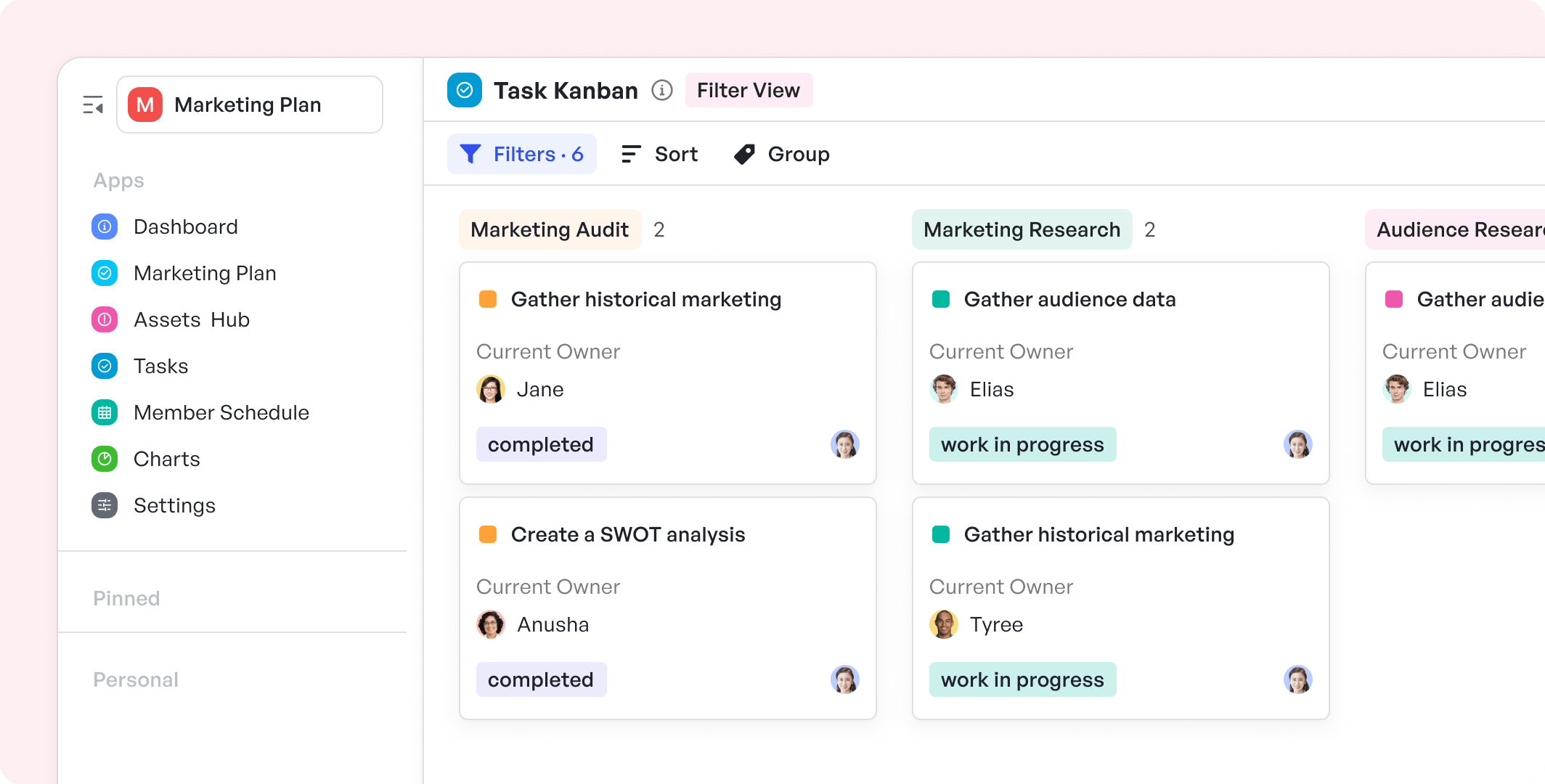
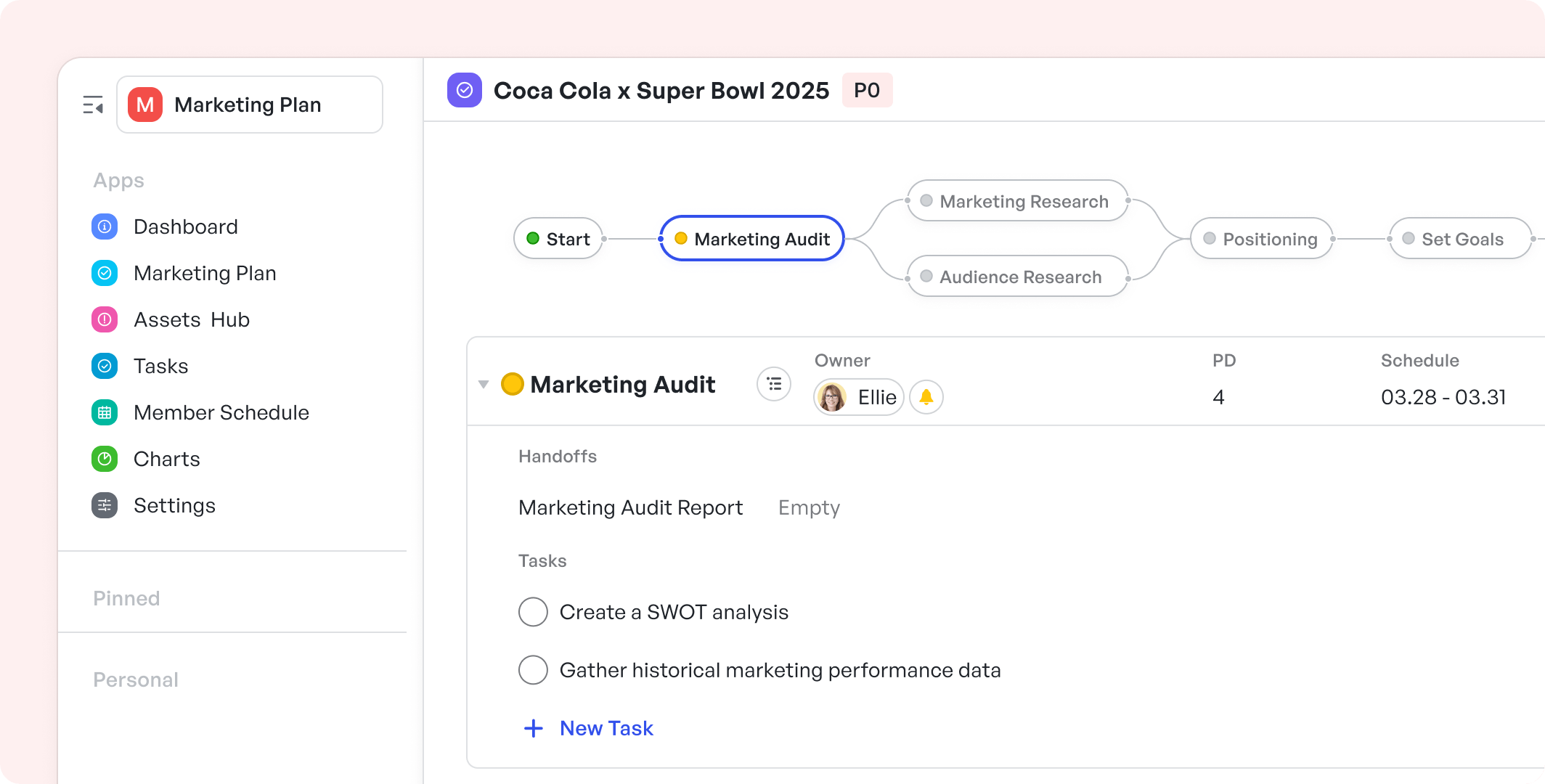
Creating a marketing plan is a structured process that involves researching, setting objectives, and outlining the marketing strategies and actions to achieve your goals.
This intuitively designed template combines a standard workflow with an integrated assets hub, aiming to execute impeccable marketing strategies with precision and ease.
Suitable for Teams / Roles
- Marketing Managers: Drive marketing strategies, oversee execution, and track performance.
- Marketing Teams: Coordinate launch strategies and material preparedness.
- Content Creators: Develop and manage creative content across multiple platforms, collaborating in real-time.
- Digital Specialists: Plan, schedule, and analyze online campaigns.
Scenarios
The Meegle Marketing Plan Template perfectly fits scenarios such as:
- Product Launches: Coordinate every aspect, from initial buzz to post-launch analysis.
- Brand Campaigns: Maintain brand consistency across all channels with a unified asset repository.
- Event Marketing: Timeline and task management features to ensure events are well-publicized and successful.
- Content Calendar Management: Keep all content activities organized and on schedule.
You may also be interested in this article!
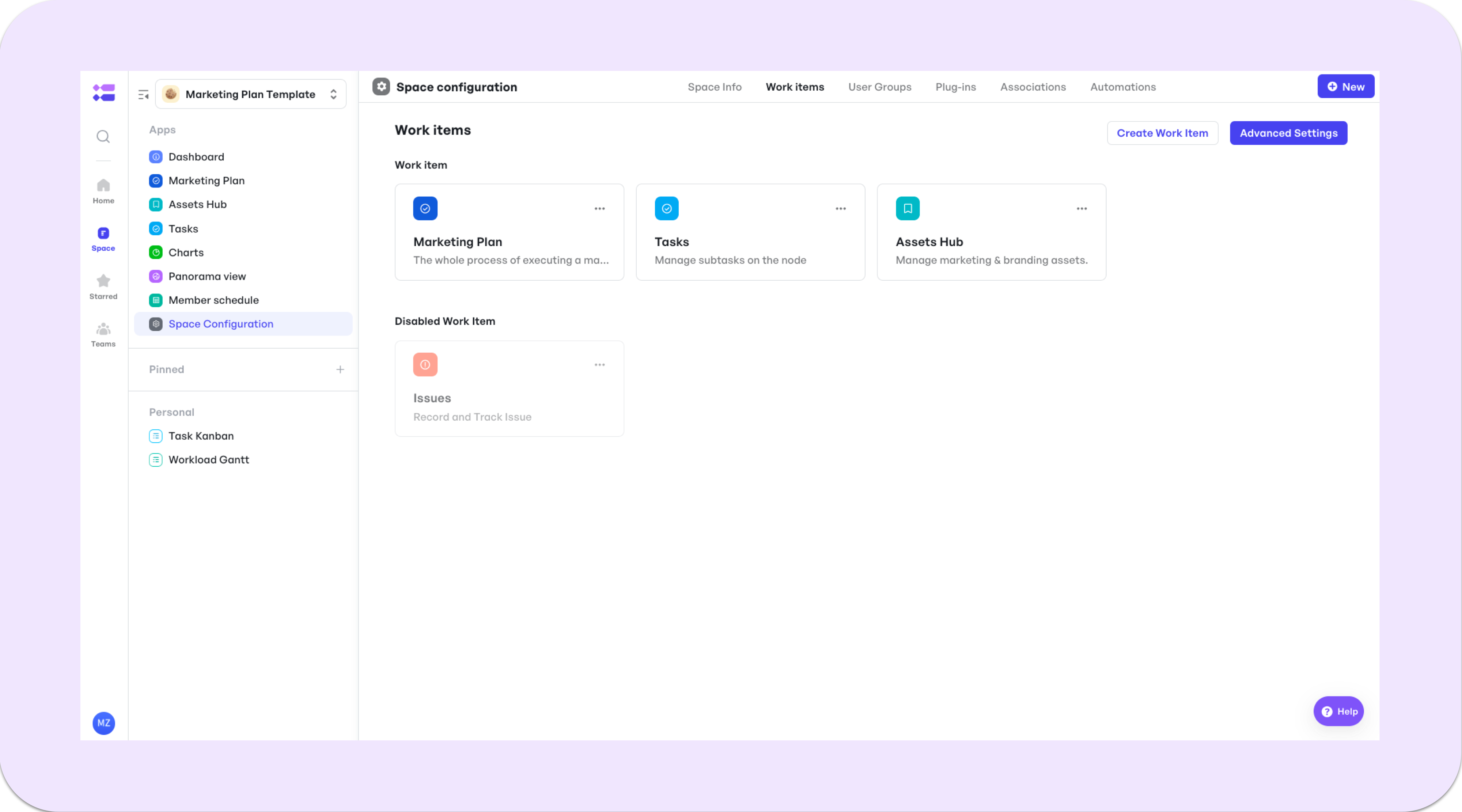
Meegle Work Items
250px|700px|reset
Marketing Plan
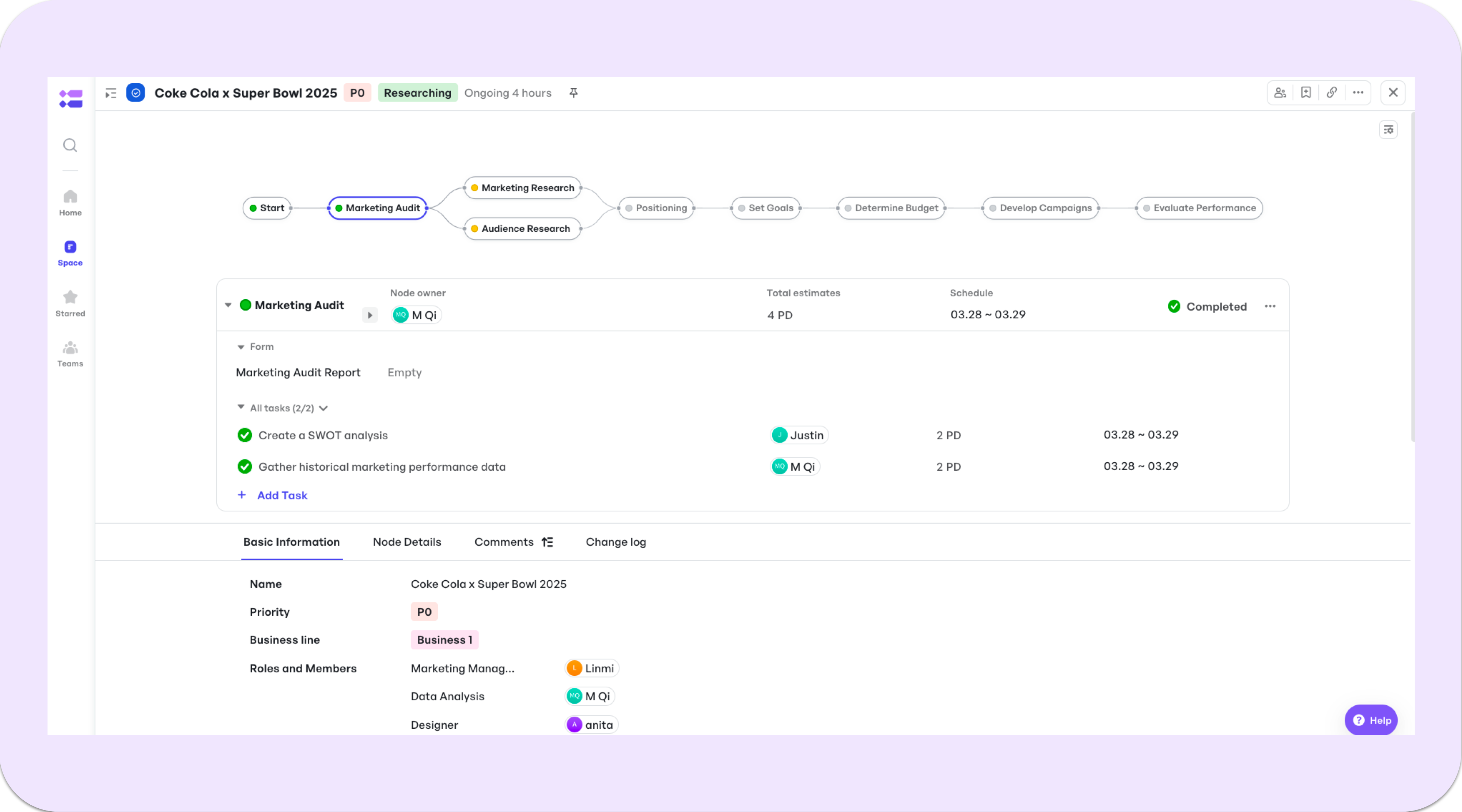
Streamline 8 steps of the marketing planning process into a standard visualized workflow.
- Conduct a marketing audit
- Collect market research
- Understand your audience
- Develop your positioning and messaging
- Set company and marketing goals
- Determine your budget
- Develop marketing campaigns
- Evaluate and make improvements
250px|700px|reset
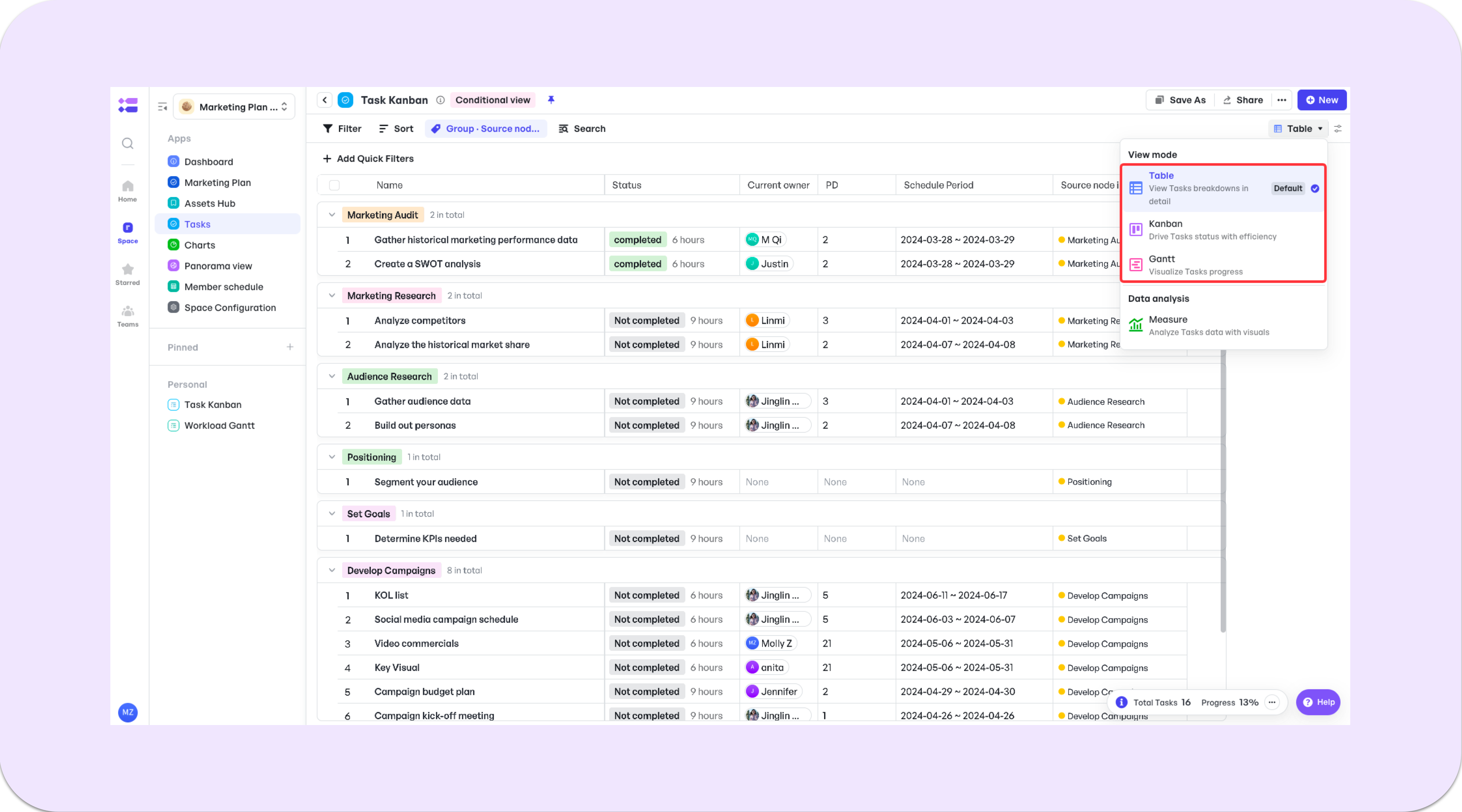
Tasks
Manage sub-tasks on nodes of the workflow.

250px|700px|reset
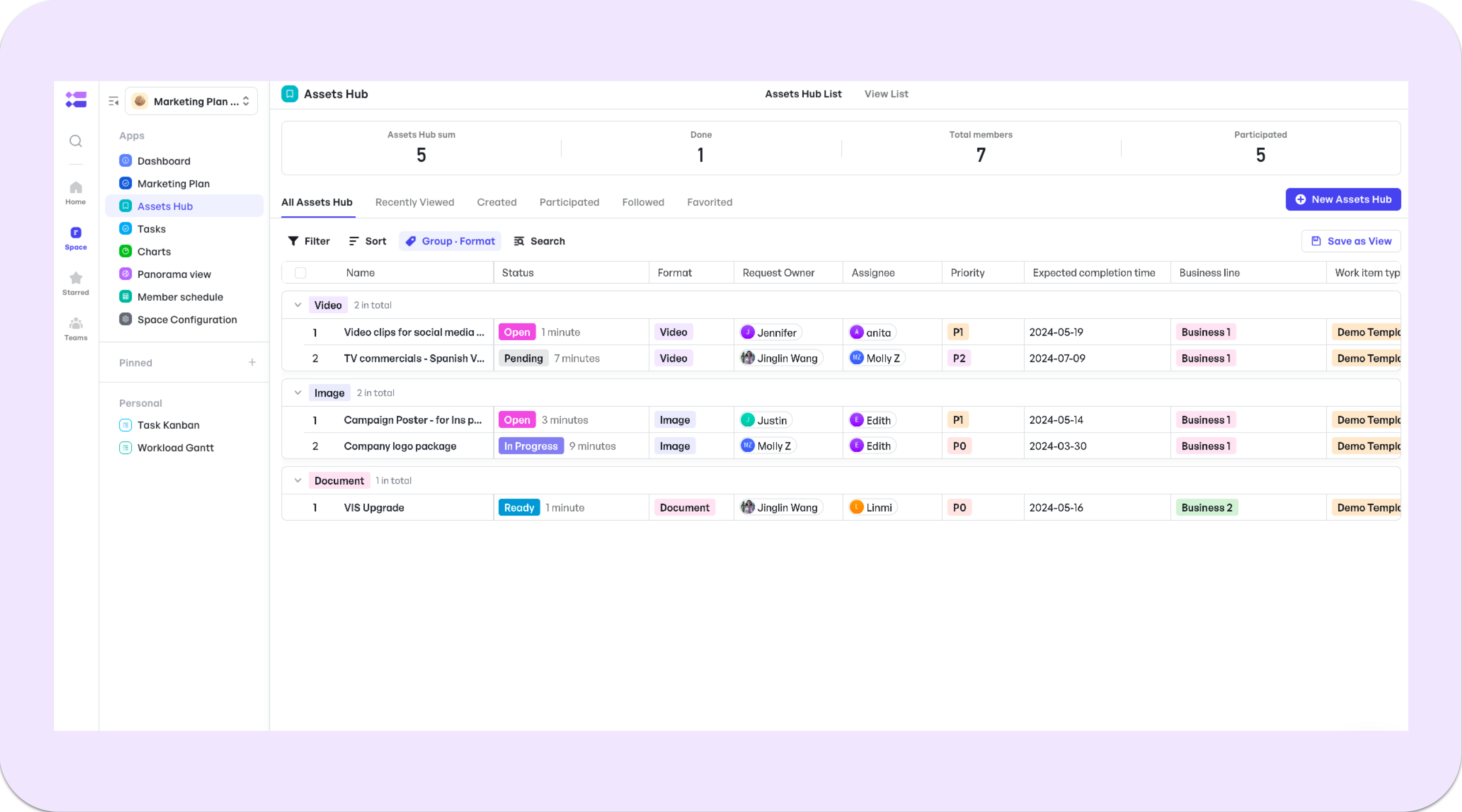
Assets Hub
The Assets hub is where marketing and design members collaborate.
Marketing team members can create new tickets in the assets hub to submit creative requests. During processing, all types of materials are also centralized in the assets hub.
250px|700px|reset
How do I start using this marketing plan template?
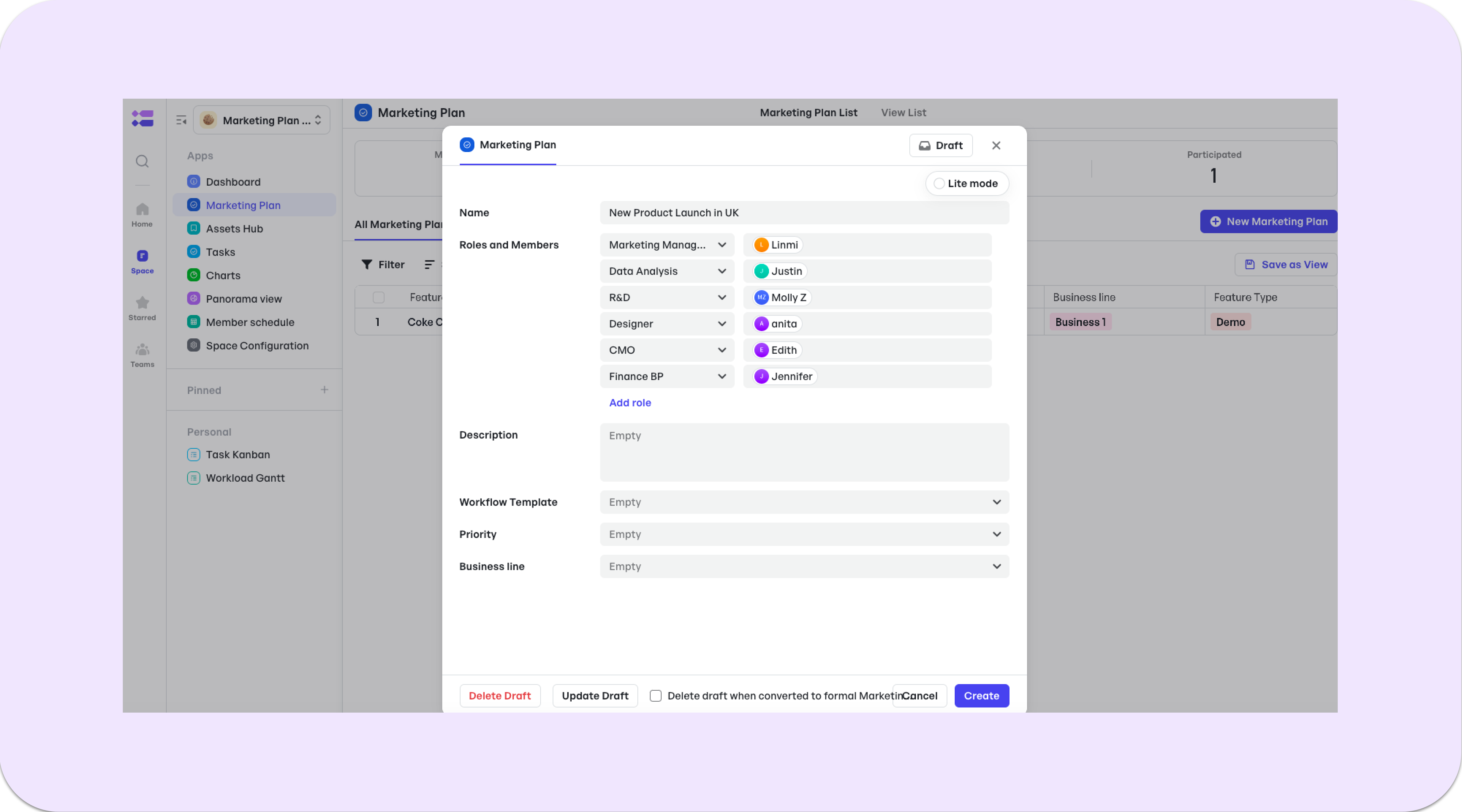
- Creating a Marketing Plan
- Creating a Marketing Plan
Fill out the ticket to collect the necessary information for your marketing plan. You can also assemble your project team on the form at the same time.
250px|700px|reset
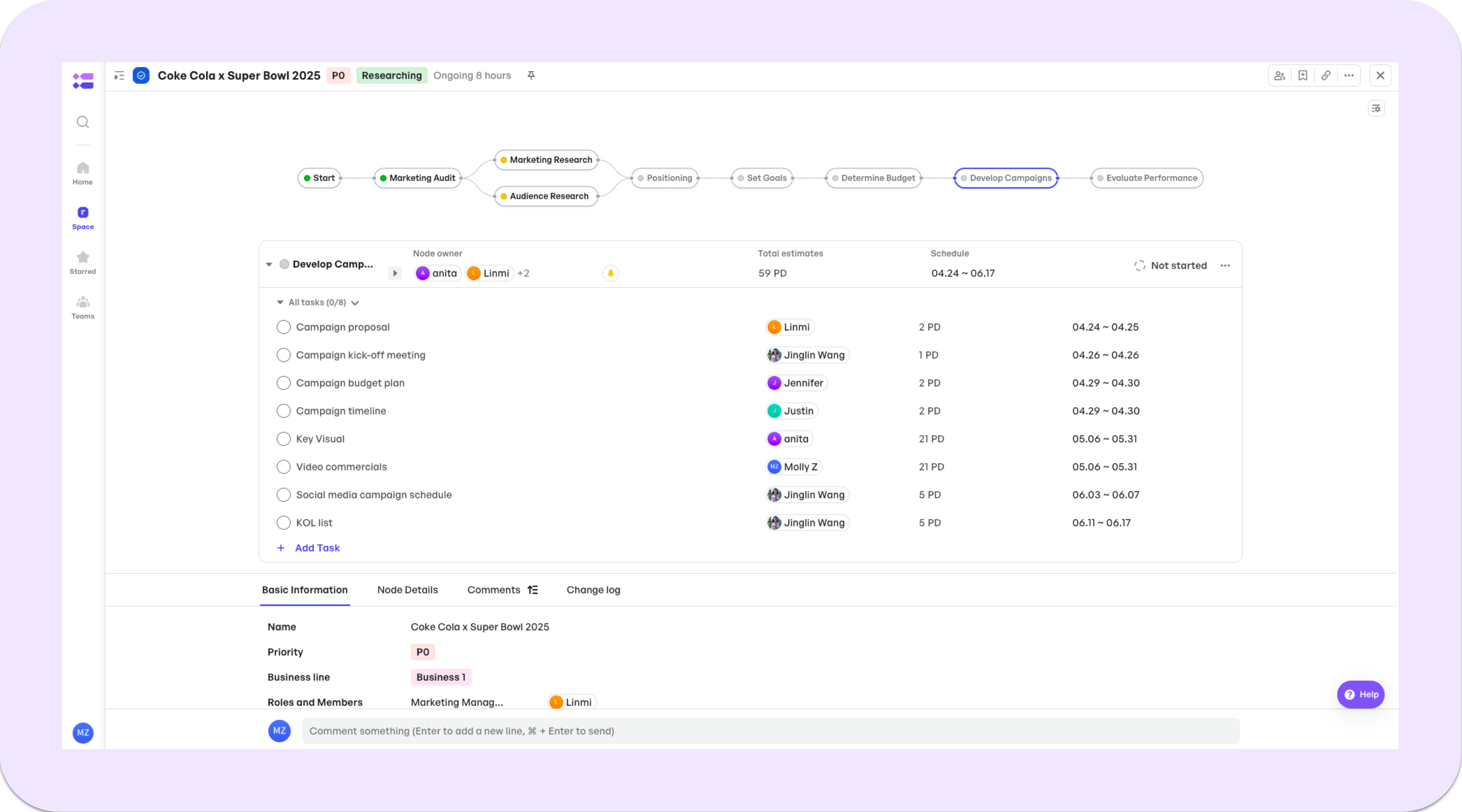
- Adding Subtasks to Nodes
- Adding Subtasks to Nodes
You can assign task owners and set an estimated schedule for every task.
250px|700px|reset
All tasks will be managed and centralized in the Task work item. You can check them via different types of views.
250px|700px|reset
- Outline a Project Timeline Automatically
- Outline a Project Timeline Automatically
Set a schedule for nodes and tasks, you will automatically get a timeline.
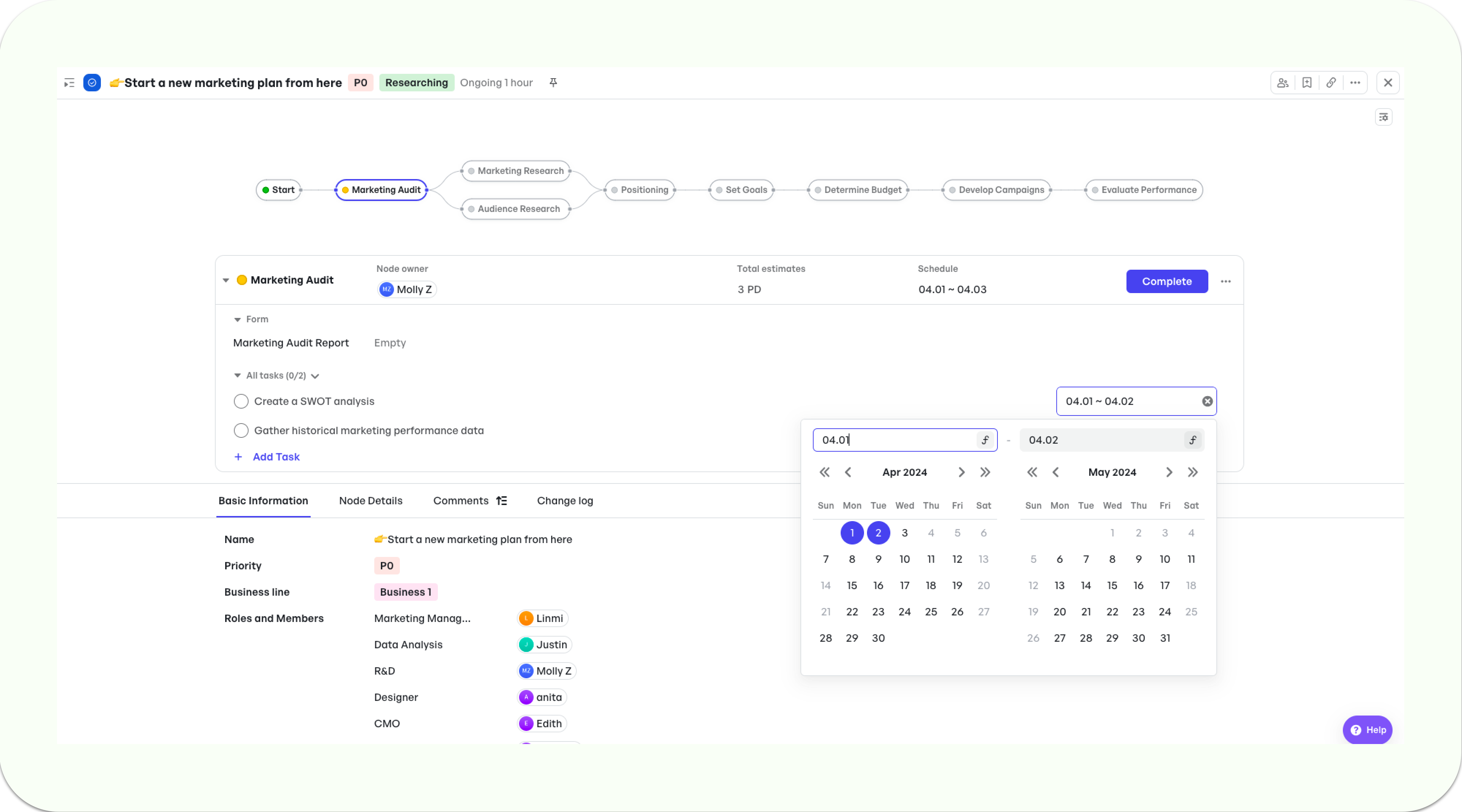
250px|700px|reset
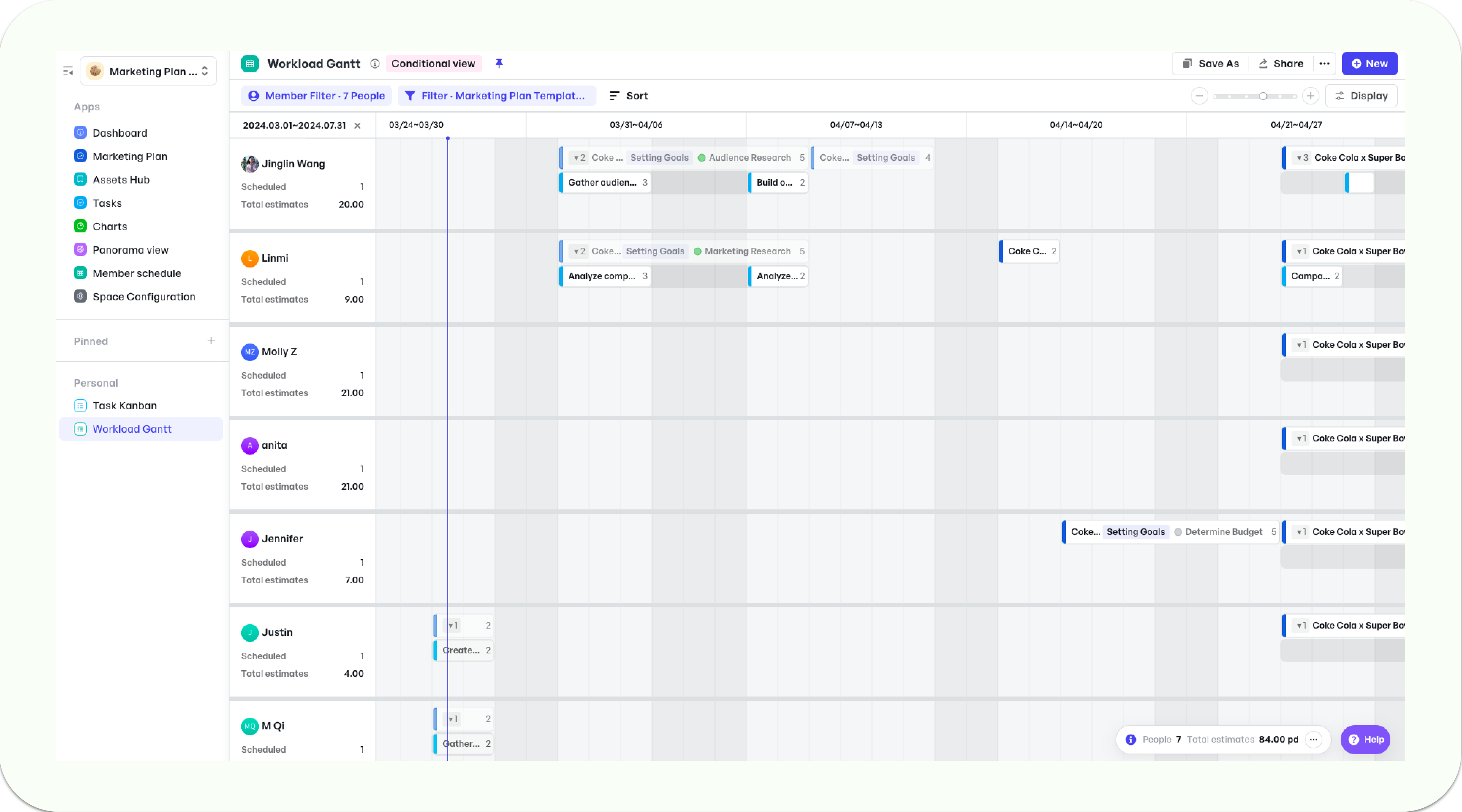
250px|700px|reset
- Process Creative Requirements
- Process Creative Requirements
The Assets Hub can help the design manager handle all material requests and ensure timely delivery. It can also serve as a platform for distributing design resources so that everyone on the project can quickly find the material they need.
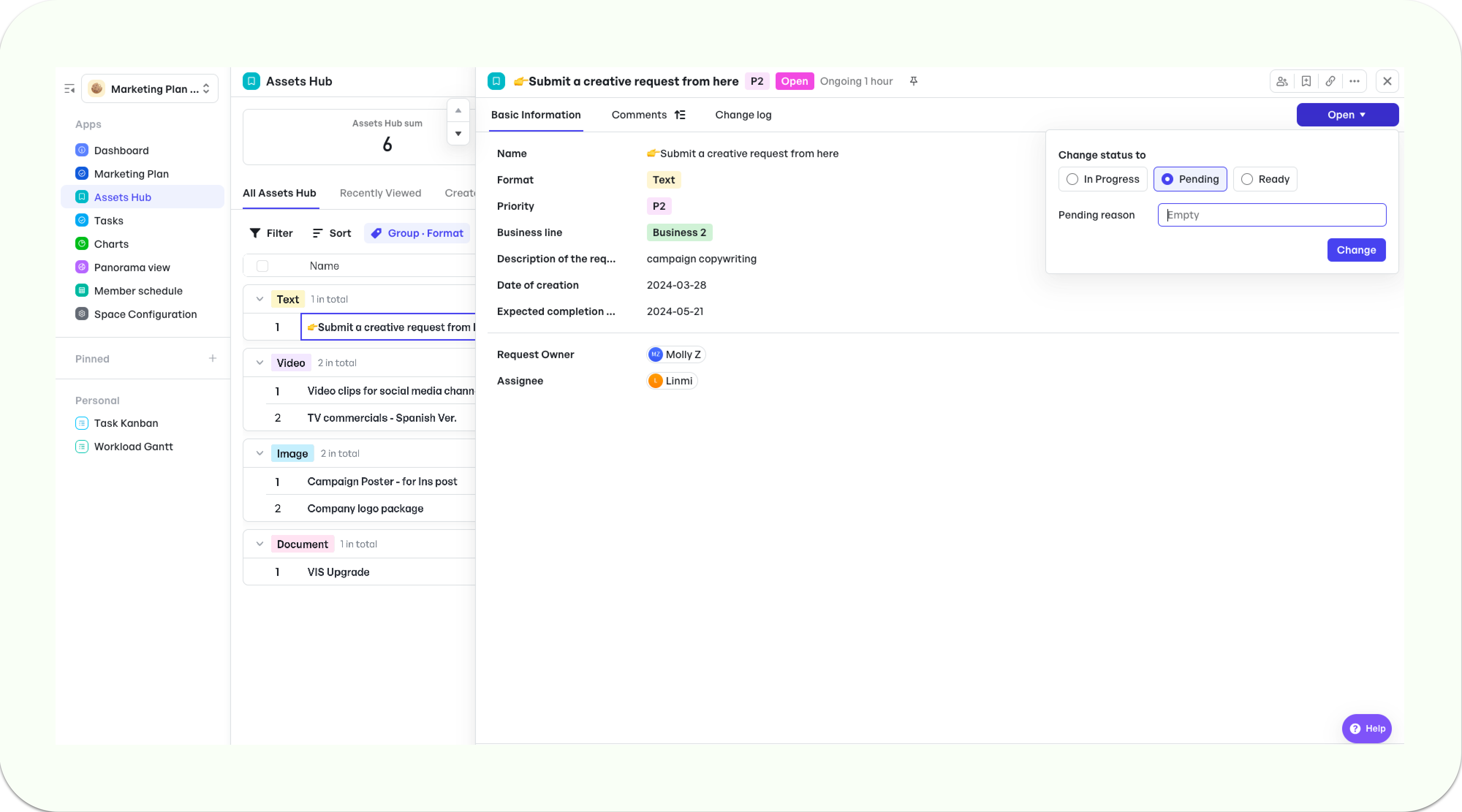
250px|700px|reset


